

Managing indoor temperature becomes more important with age, especially when mobility, vision, or memory changes make it harder to get up and adjust a thermostat. For many families, the worry is not just comfort but safety, when a home gets too cold overnight or too warm during the day and a loved one does not notice or cannot easily make a change.
This NOVA smart thermostat for seniors review for elderly looks closely at one specific model, the vine Smart Thermostats for Home with Large Knob, using only its published specifications and feature list. You will see what the dial, display, and app controls offer for daily use, where the design may fall short for some households, and which senior and caregiver situations it fits best in 2026.
This guide contains affiliate links, and we may earn a commission if you buy through them, at no extra cost to you.

Vine ST300 Smart WiFi Thermostat with Large Knob


As an Amazon Associate we earn from qualifying purchases. Product prices and availability are accurate as of the date/time indicated.
What Stands Out
Large Physical Knob Paired With 3.5-Inch Touchscreen
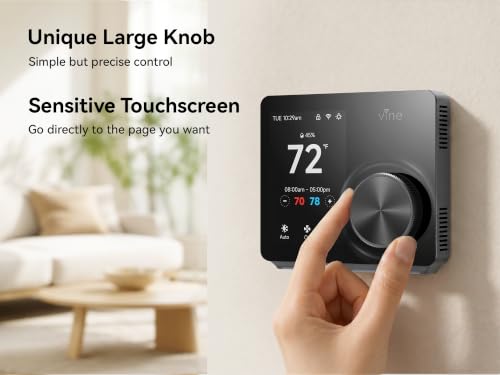
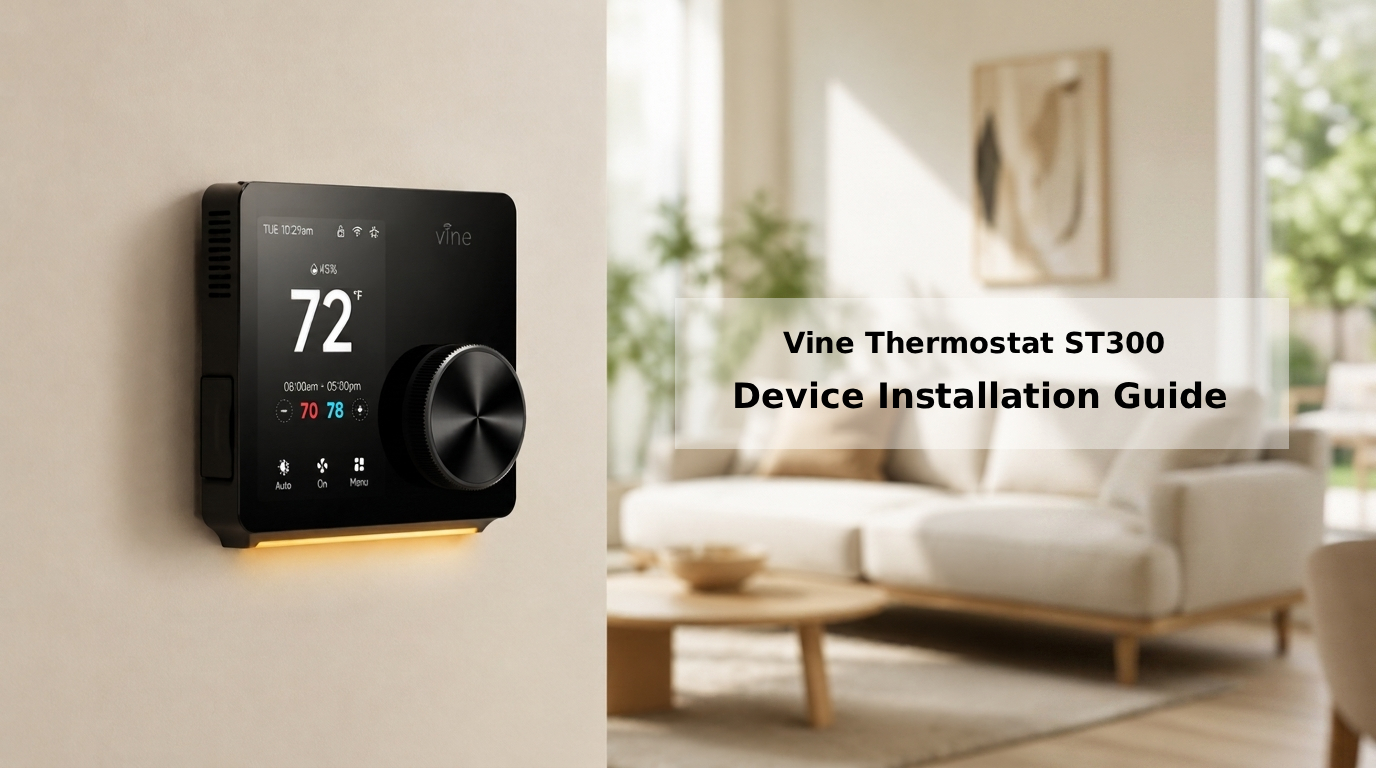
The most distinctive detail on the spec sheet is the combination of a large physical dial and a 3.5-inch touchscreen. For older adults who find small buttons or swipe-only controls frustrating, a knob offers a familiar, tactile way to raise or lower the temperature with a simple turn.
The product description specifically notes this dial plus touchscreen approach is friendly for grandparents and older adults to adjust settings. That matters when arthritis, reduced hand strength, or low vision makes precise taps difficult, and a clear turn of a knob can feel more confident.
You can also use the touchscreen for more detailed choices, while the knob handles quick daily changes. This dual approach may help reduce the risk of confusion that sometimes comes with fully flat, menu-driven thermostats.
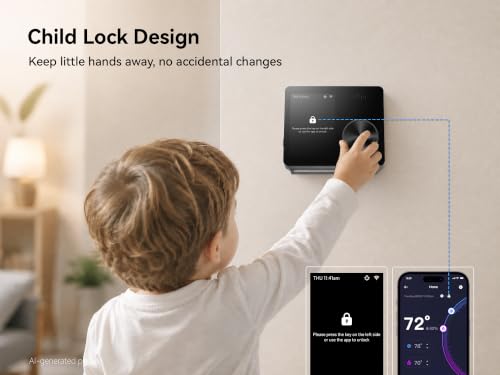
A built-in child lock is included to prevent accidental changes. If grandchildren visit or if a senior with memory changes might brush the control unintentionally, the lock helps keep the set temperature steady until a caregiver or family member unlocks it.
Adjustable Night Light for Visibility After Dark
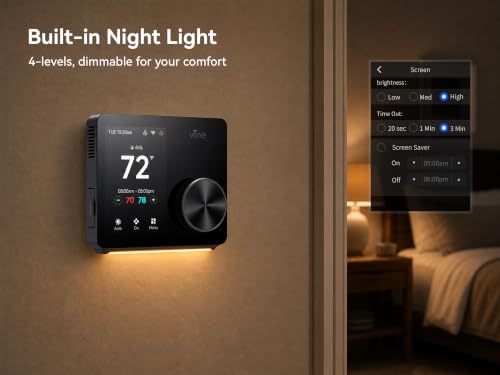
According to the listed features, this model includes a built-in dimmable night light with multi-level brightness options. For seniors who get up at night, a soft glow can make the thermostat easier to locate without turning on a bright overhead light.
The night light is described as a gentle guiding light that also makes viewing the display more effortless. For aging eyes, that extra illumination may help reduce the risk of misreading the temperature in a dark hallway or bedroom.
Brightness is adjustable, so you can keep it low if you prefer a subtle glow or raise it if you need clearer visibility. This flexibility supports different bedroom setups and personal comfort preferences.
If you are comparing visibility options for an older adult, you may also want to review related guidance on ADA smart thermostats for seniors aging in place to understand how display size, contrast, and mounting height affect day-to-day use.
Voice Control and App Access for Caregiver Support
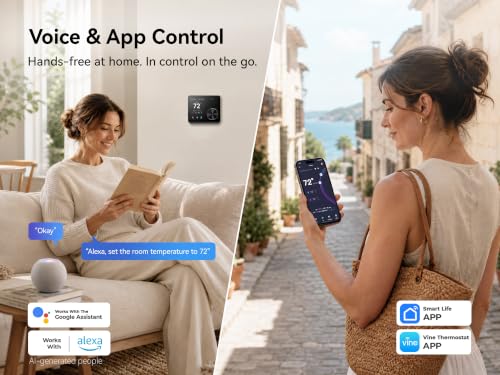
The vine Smart Thermostats for Home with Large Knob works with Alexa and Google Home for voice control, and it offers remote control through a free app. For seniors who find it hard to walk to the wall unit, a simple voice command may help adjust comfort without getting up.
For caregivers, the app provides the ability to check and adjust the temperature from anywhere, whether you are in another room, at work, or away on vacation. That remote visibility can be reassuring when you support a parent who lives alone and may forget to change settings.
Hands-free operation can also support seniors with limited mobility or joint stiffness. Instead of reaching and pressing small icons, saying a clear command to raise or lower the heat may feel more manageable.
Families who already use a voice assistant for reminders or lights may find this integration fits naturally into an existing routine. It keeps the thermostat part of a broader Voice Assistants & Automation setup rather than a separate system to learn.
As with any connected device, you will want to consider WiFi reliability and app comfort level. If a senior does not use a smartphone, a family member can still manage the app on their behalf while the senior uses the knob and voice options at home.
Flexible Scheduling and Auto Home/Away Modes
The spec sheet lists 7-day flexible scheduling with a 7×8 period programmable structure, plus an Auto Home/Away mode. In practical terms, this means you can set different temperatures for morning, day, evening, and night across the week.
For older adults who keep a regular routine, a schedule may help maintain steady comfort without daily manual changes. For example, you can keep the home a bit warmer in the morning and slightly cooler overnight, automatically.
Auto Home/Away is designed to adjust temperatures to save HVAC energy when no one is home and return to comfort settings when someone returns. This may help reduce unnecessary heating or cooling costs while still keeping the home welcoming.
Energy-related features are also tied to usage reports and remote oversight, which caregivers often appreciate. Being able to confirm that a schedule is running as planned adds peace of mind without needing to call and ask.
If monitoring is a priority for your household, explore more options in Smart Alerts & Monitoring to see how thermostats, sensors, and cameras can work together for aging in place.
Where It Comes Up Short
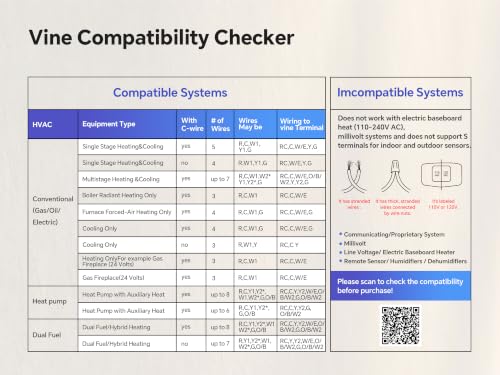
The listing states a common wire, or C-wire, is required for all vine thermostats, and compatibility covers about 90 percent of 24V AC systems. That includes conventional 2H/2C gas, oil, electric, and boiler systems, plus heat pump 2H/2C with Aux or Emerg heat, and heat or cool only systems.
For some older homes, a C-wire may not already be present at the thermostat location. The product suggests scanning a QR code for a compatibility check before purchase, which is an important step to avoid surprises during installation.
Installation is described as a quick DIY project that can be completed in 30 minutes or less with step-by-step guides and online videos, and the package includes a wall plate, mounting hardware, wire labels, and an installation guide. Even with those supports, seniors who are not comfortable with wiring should plan for help from a family member or a professional.
Another consideration is display size. While the 3.5-inch touchscreen plus knob is more tactile than many flat models, it is still a relatively compact screen. Seniors with significant low vision who need very large, high-contrast numbers may want to compare this size to larger display alternatives before deciding.
Finally, as a WiFi thermostat, it depends on a stable 2.4GHz network and app access for remote features. If your home has spotty WiFi near the thermostat location, or if no one in the household is comfortable managing an app, some of the remote benefits will be harder to use.
Who Should Buy This
This model is a strong match for a senior or caregiver household that wants a simple, tactile control with modern remote support. If you value a physical knob for everyday adjustments, appreciate a soft night light for nighttime visibility, and want voice control through Alexa or Google Home plus app access for family oversight, the feature set aligns well.
It also fits families who like structured routines. The 7-day scheduling and Auto Home/Away mode may help keep temperatures consistent without requiring the older adult to remember frequent changes, while still allowing quick manual overrides with the dial.
Households where a caregiver lives nearby or at a distance and wants to check in remotely may find the app especially useful. You can confirm settings, adjust for weather changes, or prepare the home before a visit, all while the senior at home continues to use the familiar knob.
For those building a broader safety net, pairing a thermostat with other supportive tools, like a security camera for balance issues or a smart doorbell with large display, can create a more connected and reassuring environment without adding complexity at the thermostat itself.
Who Should Skip It
This thermostat is not ideal for homes without a C-wire where running new wiring is not feasible, since the spec sheet states a C-wire is required for all vine thermostats. If your current setup lacks that wire and you prefer a model that can operate without it in most applications, another option may be a better fit.
It is also not the right choice if you need an extra-large, high-contrast display designed specifically for very low vision, or if no one in the household is comfortable using a smartphone app or voice assistant. In those cases, a simpler non-connected thermostat with oversized numbers, or a model with broader no-C-wire support, may reduce daily friction.
Seniors who live in a rental where thermostat changes are restricted, or homes with HVAC systems outside the listed 90 percent compatibility range, should confirm system details carefully. The QR code compatibility check noted in the listing is a helpful first step before making a decision.
Frequently Asked Questions
Does the vine Smart Thermostats for Home with Large Knob require a C-wire?
Yes, the product specifications state that a common wire, or C-wire, is required for all vine thermostats. Before buying, use the QR code compatibility check mentioned in the listing and look at your current wiring to confirm you have a C-wire available.
Can a caregiver control the temperature remotely for an elderly parent?
Yes, the thermostat works with a free app that lets you check and adjust the temperature from anywhere, and it also supports Alexa and Google Home for voice control. This allows a family member to monitor settings and make changes without needing to be at the home.
Is the large knob and night light helpful for seniors with vision or mobility concerns?
The large physical dial plus 3.5-inch touchscreen is designed to make daily adjustments easier than small buttons alone, and the dimmable night light with multi-level brightness helps with visibility in the dark. The child lock also helps prevent accidental changes, which can be useful for households with memory concerns or young visitors.
Browse more picks in our Smart Alerts & Monitoring category, or see our related guide on Large Display Doorbells for Stroke Recovery in 2026.









Write Your Review
No reviews yet. Be the first to share your experience!