

Quick Answer
If your senior’s medical alert watch does not feel safe enough, start with fit, charging routine, and emergency information before you consider a new device. A loose band, a dead battery, or outdated contacts are the most common reasons a watch is not helpful in an urgent moment. Tighten the fit so sensors stay in contact, set a daily charging habit, and confirm that contacts and medical details are current, then adjust settings and daily routines to improve reliability.
Why This Happens
Most medical alert watches rely on close skin contact, a charged battery, and a clear connection to work as expected. If the band is too loose, too tight, or worn inconsistently, sensors may not track well and alerts may be delayed. Always check with a healthcare provider before making safety changes for a senior in your care.
Another common issue is incomplete setup. Many families set up the watch once and then do not update emergency contacts, medical notes, or location sharing as needs change. If the watch pairs with a phone or app, missed updates, muted notifications, or disabled permissions can also limit how quickly family is notified.
Daily habits matter as much as the device. A watch left on a nightstand to charge overnight, worn only part of the day, or taken off because it feels uncomfortable will not be available when needed. You may find it helpful to review ideas in our guide to security cameras for seniors with balance issues for complementary ways families stay aware without relying on a single device.
Finally, expectations can be mismatched. A basic watch may offer step counting and a button, but not automatic fall alerts, GPS location sharing, or two way calling. Understanding what your current model does and does not do helps you decide whether a settings change, a routine change, or a different type of support is the right next step.
Practical Steps to Try
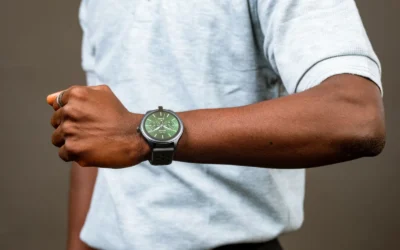
- Check fit and comfort first. The band should be snug enough to stay in place during normal movement but not so tight that it causes discomfort or skin irritation. Try adjusting the band by one notch, wearing the watch on the non dominant hand, and keeping the back of the watch clean and dry. A comfortable fit makes daily wear more consistent, which is key for any alert feature to be useful.
- Create a simple charging routine you can stick to. Pick a consistent time each day, such as while your loved one is seated after breakfast or during a favorite TV program, and set a phone reminder for the caregiver as well. Keep the charger in one visible place, check that the charging indicator appears, and confirm the battery is full before the watch goes back on. For broader home routines, many families also explore ADA smart thermostat guidance for seniors aging in place to reduce extra tasks that compete with device charging.
- Review contacts, medical information, and app permissions. Open the companion app and confirm that emergency contacts are correct, in the right order, and have current phone numbers. Check that any medical notes, allergies, or conditions are up to date and easy for a responder to understand. Then confirm location sharing, notification permissions, and Bluetooth pairing are enabled on the connected phone so alerts can go through.
- Make the alert easier to use in a real moment. If the watch has an SOS button, practice pressing and holding it together so your loved one knows what to expect. Turn on simple options like large text, louder volume, or haptic feedback if available, and disable confusing extras that are not needed. Place a small written reminder near the bed or bathroom about wearing the watch during high risk times, such as getting up at night.
- Build a backup plan around the watch. No single device covers every situation, so agree on what happens if the watch is charging, the senior is away from their phone, or a notification is missed. Consider adding a second way to call for help in key rooms and reviewing entry options with resources like smart lock options for seniors with knee replacement so family or responders can assist quickly if an alert is received. Try one change at a time and observe what improves daily consistency.
When a Product Can Help
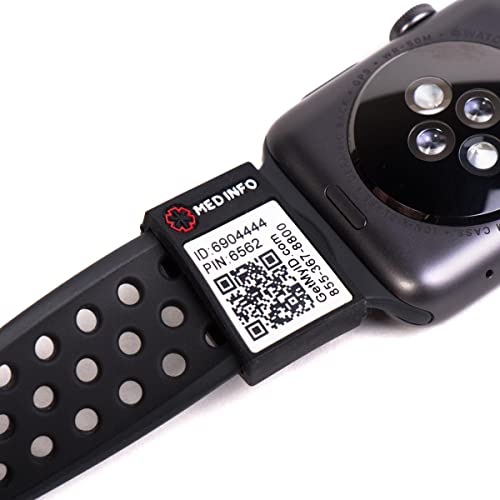
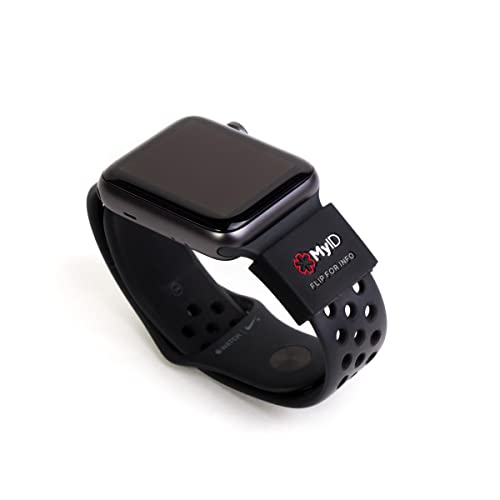
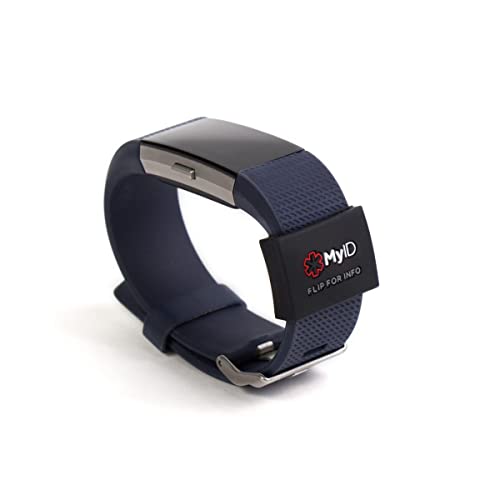
A product add on can help when the watch itself works but the information available to a responder is limited. If your senior already wears an Apple Watch, Fitbit, Samsung Gear, Garmin, or similar wrist device and you want first responders to see key medical details quickly, a sleeve that stores a full medical profile may help reduce the risk of delayed care. One practical option caregivers consider is the myID Medical ID Sleeve that Fits Apple Watch, which is made of flexible silicone and provides quick access points for viewing stored health information and emergency contacts.
This guide contains affiliate links, and we may earn a commission if you buy through them, at no extra cost to you.

Prime MyID Medical ID Sleeve for Apple Watch, Fitbit


As an Amazon Associate we earn from qualifying purchases. Product prices and availability are accurate as of the date/time indicated.
When to Talk to a Professional Instead
A watch and home adjustments are general supports, not clinical solutions. If your loved one has frequent falls, new confusion, significant vision or hearing changes, or a recent hospitalization, talk with a physician, physical therapist, or occupational therapist before making changes. They can help assess underlying factors and recommend appropriate supports for your specific situation.
This type of sleeve add on is not ideal for seniors who need automatic fall detection, real time location sharing, or two way voice calling and do not already have those features in their current watch. It is also not a good fit if the senior cannot or will not wear a wrist device consistently, has significant skin sensitivity that makes any band uncomfortable, or needs hands free auto answering when they cannot press a button. In those cases, a different form of alert system or a care plan review with a healthcare provider may be more appropriate.
If you notice skin irritation, pressure marks, or discomfort from any band, remove it and seek guidance from a healthcare provider. Do not try to diagnose the cause of unsteadiness or change medication related routines on your own. A professional can help you weigh trade offs and choose household changes that support safety without adding new risks.
Frequently Asked Questions
Can a medical alert watch work without a phone nearby?
It depends on the model. Some watches use Bluetooth and need a nearby phone for calls and location sharing, while others have cellular or GPS features built in. Check your watch description and app settings to see whether it can alert contacts on its own.
How do we keep medical information current for first responders?
Use the companion app or online profile linked to the watch or ID accessory and review it monthly. Confirm that conditions, medications, allergies, and emergency contacts are accurate, and remove outdated details. Keep a printed card in a wallet as a backup in case the watch is not being worn.
What if our senior forgets to wear or charge the watch?
Try linking wear and charging to an existing habit, like putting the watch on after morning hygiene and charging during a seated rest period. Use visible reminders and caregiver phone alerts, and keep the charger in one consistent spot. If forgetting continues, discuss alternative alert options and daily support strategies with a healthcare provider.
Browse more picks in our Smart Alerts & Monitoring category, or see our related guide on Large Display Doorbells for Stroke Recovery in 2026.


Write Your Review
No reviews yet. Be the first to share your experience!