

Quick Answer
If your voice activated alarm feels unstable for an elderly user, start with placement and power before you change settings. In most homes the device is on an uneven surface, plugged into a loose outlet, or too far from the person speaking, so it misses the wake word or gives inconsistent alerts. Secure the base, confirm steady power, and move it closer at chest height, then adjust volume and voice sensitivity if needed.
Why This Happens
A voice activated alarm can feel unstable for reasons that have little to do with the alarm itself. Always check with a healthcare provider or occupational therapist before making changes that affect safety routines for a senior in your care. Understanding the common causes helps you decide what to adjust at home and when to seek more support.
Physical stability is often the first issue. A lightweight device on a cluttered nightstand, a soft tablecloth, or a shelf with a tugging power cord can wobble, slide, or tip when touched. Wall mounted units may feel loose if anchors are in drywall without proper support, and countertop models in voice assistants and automation setups can vibrate from nearby appliances.
Power and connection issues also create inconsistent behavior. A low battery, a loose USB connection, or an outlet controlled by a wall switch can cause the alarm to restart, lower its volume, or miss voice commands. If the device relies on Wi-Fi, a weak signal, router distance, or interference from microwaves and baby monitors may delay responses or make alerts sound choppy and unreliable.
Voice related factors matter too. Background noise from a TV, fan, or kitchen, plus distance from the microphone, can make the wake word harder to recognize. Age related changes in voice volume or speech pace, combined with a sensitivity setting that is too low or a language setting that does not match the user, may also lead to missed triggers. A device that works well in a quiet room may struggle in a busy living area.
Practical Steps to Try
- Check the surface and mounting. Place the alarm on a flat, hard, non-slip surface at chest height when the user is seated or in bed, close enough to speak without shouting. Make sure cords have slack and are not pulling the device, and tighten any wall anchors or stands according to the manual. If the unit still wobbles, try a different table or add a small non-slip pad underneath.
- Confirm steady power. Plug the alarm directly into a wall outlet that is not controlled by a switch, and make sure the USB plug or adapter is fully seated. For battery models, charge fully and check the battery indicator, then observe if low power warnings appear. If you use a power strip, try the wall outlet instead to rule out an unstable strip.
- Review voice and sound settings. Raise the volume to a comfortable level for the room, set the correct language, and look for a microphone sensitivity or wake word sensitivity option in the menu or app. Turn off extra features like whisper mode if they make recognition harder, and save changes before you try again.
- Reduce distance and background noise. Move the alarm within a few feet of where the senior usually speaks, facing the user and away from direct TV speaker output. Try a quiet trial with the TV and fan off to see if recognition improves. For seniors with balance issues who cannot lean toward the device, a closer bedside placement may help reduce the need to reach or call out loudly.
- Try a simple backup trigger. If voice alone feels unreliable, check whether the device also offers a large button, remote, or app tap to trigger the same alert. Show the senior both options and keep the simplest one in the same spot every day. Consistent placement and a familiar routine often help more than adding more devices.
When a Product Can Help
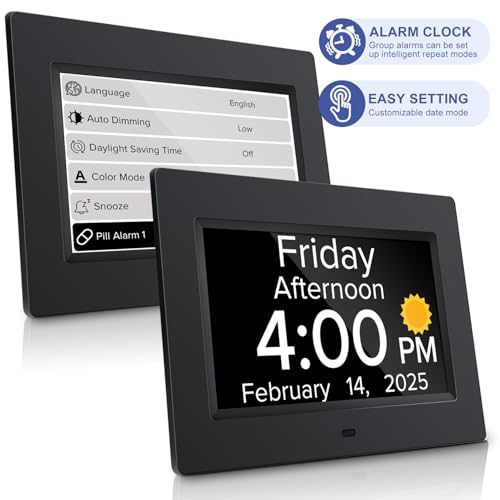
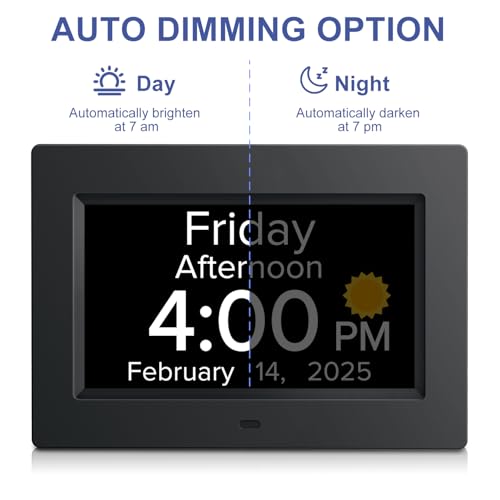
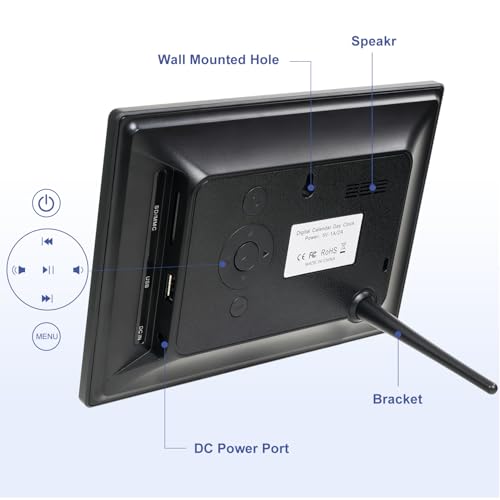
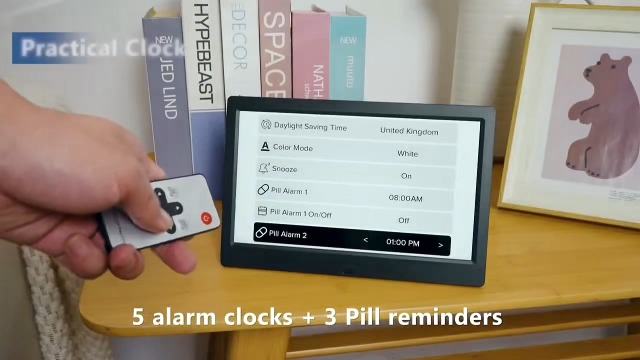
If placement and settings checks do not make the voice alarm feel steady or easy to use, a different type of alert with a large display and simple voice announcement may be a more practical option. One common choice is a clock that clearly shows the day and time and can speak the time aloud with a button press, which may help reduce confusion about when an alert should be used. For that situation, some families consider a model like the Digital Alarm Clock with Date and Day of Week as an additional orientation aid alongside their existing system.
This guide contains affiliate links, and we may earn a commission if you buy through them, at no extra cost to you.

Prime MITOART 7 Inch Digital Dementia Clock for Seniors




As an Amazon Associate we earn from qualifying purchases. Product prices and availability are accurate as of the date/time indicated.
When to Talk to a Professional Instead
A voice activated alarm is not ideal for every situation, and a home fix is not the right choice if the senior has frequent falls, sudden confusion, or difficulty being heard or understood consistently. If the device is being used to monitor safety at night or to call for help, and it still feels unreliable after basic checks, that is a sign to pause and get guidance rather than adding more gadgets.
This type of standalone alarm is also not a good fit when the senior lives alone with significant hearing or speech changes, or when the home layout requires alerts across multiple floors or far rooms. In those cases, a broader plan that may include personal emergency response options or other Smart Alerts & Monitoring strategies should be reviewed with a professional.
Talk with a physician, physical therapist, or occupational therapist if you notice unsteadiness, missed medications, or increased anxiety about using the alarm. They can help assess the home setup, daily routine, and whether a different support plan may help reduce the risk of a fall or missed alert.
Frequently Asked Questions
Why does my voice alarm work sometimes and not other times?
Inconsistent response often points to distance, background noise, or an unstable power connection rather than a broken device. Try moving the alarm closer, reducing TV or fan noise during a trial, and confirming the plug and battery level are steady before adjusting sensitivity.
Should I mount the alarm on the wall to make it more stable?
Wall mounting can help if the nightstand is crowded or the cord pulls the device, but only if anchors are secure and the microphone still faces the user. If the senior must look up or shout to reach a high mount, a low, stable tabletop position at chest height is often easier to use.
What if the elderly user cannot speak loudly enough for the alarm?
Check volume, microphone sensitivity, and language settings first, then try a closer placement and a quiet room trial. If voice activation remains difficult, consider a device with a large button or remote as a backup, and ask a healthcare provider about other alert options that fit the person’s abilities.
Browse more picks in our Smart Alerts & Monitoring category, or see our related guide on Large Display Doorbells for Stroke Recovery in 2026.







Write Your Review
No reviews yet. Be the first to share your experience!