

Quick Answer
To make a medical alert watch safer during hip replacement recovery, make it easy to wear consistently, easy to press without bending or twisting, and easy to keep charged. Check band fit and skin comfort, confirm fall detection and emergency contacts are set correctly, and create a simple daily charging routine so the watch is rarely off the wrist.
Why This Happens
A medical alert watch often feels less secure after hip surgery because movement is limited and the risk of a fall feels higher. Many seniors also need to avoid bending at the hip past 90 degrees, twisting, or reaching down, which can make it awkward to adjust a watch, press a small button, or pick up a charger from a low table.
Common reasons the watch does not feel safe include a band that is too loose or too tight, a clasp that is hard to manage with stiff hands, or a watch that gets taken off and forgotten during naps or showers. If alerts are not set up clearly, family contacts may not be notified quickly, and the senior may not be sure what happens after pressing SOS.
Charging habits can also create gaps in coverage. If the watch is charged overnight on a nightstand that is hard to reach, the senior may be without it when getting up to use the bathroom, which is a high risk moment during recovery. Always check with a healthcare provider or physical therapist before making changes to mobility routines or safety equipment for a senior in your care.
Finally, a watch alone may not cover all needs during early recovery. A senior may be alone in the bathroom or bedroom where a fall could happen away from a phone, and a watch with a low battery or muted alerts may not help as expected. That is why fit, setup, and daily habits matter as much as the device itself.
Practical Steps to Try
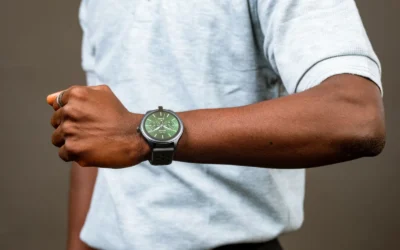
- Adjust fit for secure, comfortable all day wear. The band should stay in place without sliding around, but not leave marks or cause irritation. Choose a soft, adjustable band and position the watch so the senior can see and press the button without bending forward. If the current band is stiff or hard to fasten, consider a stretch or velcro style that is easier to put on while seated.
- Confirm alert settings and practice a safe press. In the watch app, verify that fall detection is turned on if available, that SOS contacts are correct, and that notifications go to family members who will answer quickly. Practice pressing and holding the SOS button while the senior is seated in a supportive chair or on the bed, so they know how long to hold it and what sound or vibration to expect.
- Build a charging routine that does not require bending. Place the charger at waist height on a dresser or counter where the senior can reach it while standing with a walker, not on the floor or a low shelf. Try charging at the same time each day, such as during a seated rest period, and set a phone reminder for the caregiver to check battery level. A watch that is charged daily for a short period is more likely to be on the wrist when needed.
- Add simple backup in high risk spots. During hip replacement recovery, the bathroom and bedroom are where help is often needed most. Keep a clearly marked call button, phone, or voice assistant within arm’s reach of the toilet, shower chair, and bed, so the senior does not need to bend or walk to get help. For ideas on monitoring these areas without adding clutter, see best security camera for elderly with balance issues.
- Keep essential medical information visible on the wrist. If the watch needs to be removed for charging or skin care, important details like hip replacement status, blood thinner use, allergies, and emergency contacts should still be easy for others to find. Keep a small card in a wallet as well, and review the information with family so everyone knows where to look. You can also explore entry safety during recovery with best smart lock for seniors with knee replacement to reduce the need to rush to the door.
When a Product Can Help
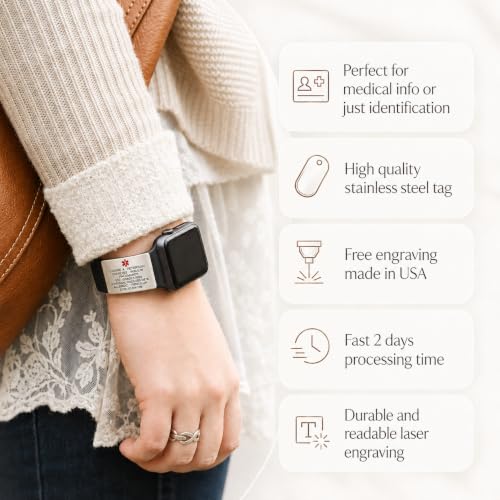
A product can help when the watch itself works well but critical information is not visible if the battery dies, the watch is charging, or the screen is hard for responders to read quickly. In that case, a simple add on that keeps medical details on the band may help reduce the risk of confusion during an emergency.
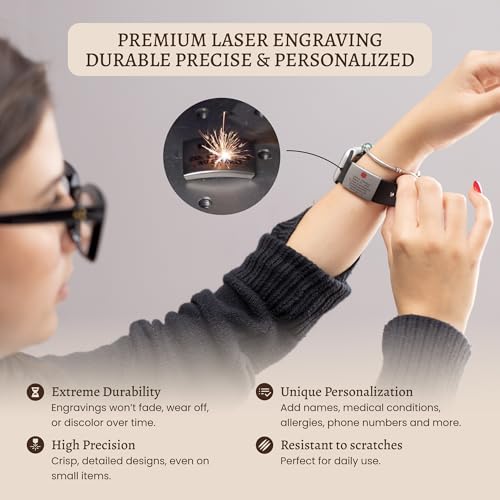
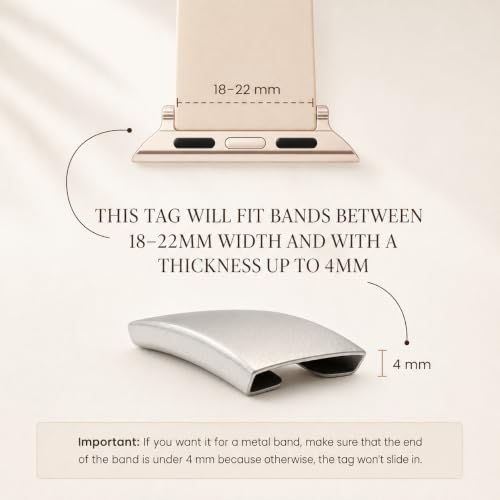
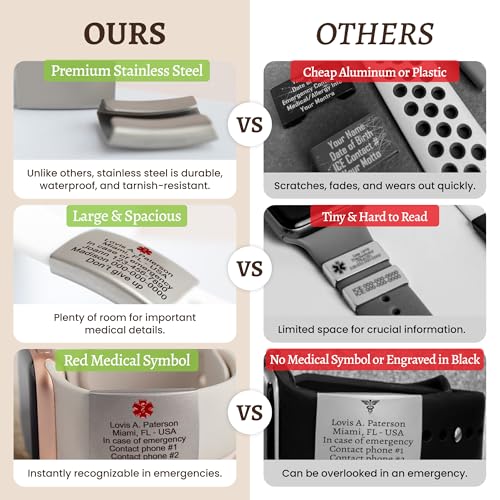
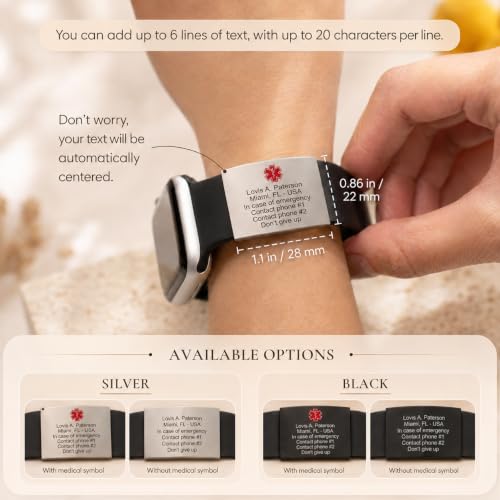
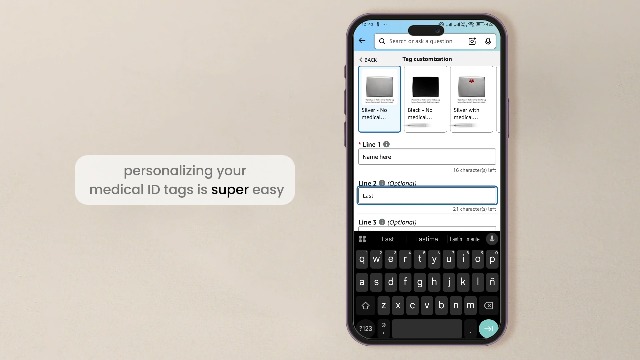
One common option is a slide on ID plate made for sport and smartwatch bands. The Alert ID Tag for Watch Band is a stainless steel tag that slides onto an existing band up to 22mm wide, is waterproof and lightweight, and can be laser engraved with up to 6 lines of personal information. It does not fit thick chain or metal bands, and personalization is permanent, so double check details before ordering.
This guide contains affiliate links, and we may earn a commission if you buy through them, at no extra cost to you.

Prime Mia-Mia Laser Engraved Medical Alert ID Tag





As an Amazon Associate we earn from qualifying purchases. Product prices and availability are accurate as of the date/time indicated.
This type of tag is not a medical device and does not replace the watch’s alert features, but it may help ensure hip replacement precautions and contact details stay with the senior even when the watch is off for charging. For broader context on alert devices in the home, you can also review Smart Alerts & Monitoring and related guides in Smart Home for Seniors.
When to Talk to a Professional Instead
A home adjustment is not a good fit when the senior has had a recent fall, feels increasingly unsteady, has wound concerns, or reports new pain, swelling, or confusion. These changes can affect balance and safety in ways a watch or accessory cannot address, and they deserve prompt attention from a clinician.
This approach also isn’t ideal if the senior cannot consistently remember to wear the watch, cannot press the button due to hand weakness, or lives alone without someone nearby to respond to alerts. In those situations, talk with a physician, physical therapist, or occupational therapist about a more comprehensive plan, which may include different alert options, supervised check ins, or changes to the living space.
A professional can also review hip precautions, walker fit, and safe ways to sit, stand, and reach for items without bending or twisting. Bring the watch and its charging setup to the appointment so the provider can see how it is used during the day.
Frequently Asked Questions
Should a senior wear a medical alert watch while sleeping after hip replacement?
Many caregivers encourage wearing it in bed because nighttime bathroom trips carry added risk. If the watch is splash resistant and comfortable, continuous wear may help reduce the risk of being without help. Check the manufacturer’s guidance on water resistance and skin care, and ask a healthcare provider what is appropriate for your situation.
What if the senior cannot press the small SOS button without bending?
Try repositioning the watch slightly higher on the wrist for easier thumb access and practice pressing while seated with good back support. If pressing remains difficult, ask a physical therapist or occupational therapist about alternative alert placements or devices that require less fine motor effort, and keep a backup option within arm’s reach.
Does fall detection make a medical alert watch enough on its own during recovery?
Fall detection may help reduce the risk of a delayed response, but no device removes all fall risk or replaces supervision and safe movement habits. Use the watch as one part of a broader plan that includes clear pathways, proper walker use, and regular check ins, and review the plan with a healthcare provider.
Browse more picks in our Smart Alerts & Monitoring category, or see our related guide on Large Display Doorbells for Stroke Recovery in 2026.





Write Your Review
No reviews yet. Be the first to share your experience!