

Quick Answer
If a smart plug is not working well for a senior who uses a wheelchair, the most common cause is not the plug itself but how it connects and how it is controlled. Check that the plug is on a stable 2.4 GHz Wi-Fi network, that the voice assistant is paired correctly, and that the outlet is within easy reach from a seated position. If voice or app control stays frustrating, try a simple radio-frequency remote outlet that works without Wi-Fi or complex setup.
Why This Happens
Always check with a healthcare provider or occupational therapist before making changes that affect reach, cord placement, or daily routines for a senior who uses a wheelchair. Many smart plugs only work on 2.4 GHz Wi-Fi, so if your router is set to 5 GHz only, is far away, or the signal must pass through thick walls, the plug may disconnect, respond slowly, or fail to follow schedules.
Voice control can also be unreliable if the setup is not matched to the person. If the Alexa or Google Home device is across the room, low to the ground, or blocked by furniture, it may not hear commands clearly from a seated height. Background noise, soft speech, or needing to remember exact phrases can make voice control feel harder rather than easier, especially when the senior needs quick, dependable control of a lamp or fan.
Outlet location is another frequent barrier. Plugs placed behind a bed, sofa, or low near the floor require bending, twisting, or stretching from a wheelchair, which is tiring and may increase the risk of strain. A bulky smart plug that covers the second outlet or leaves a cord trailing across a path can also limit where you can safely place lamps and other devices. Learn more about accessible placement in the Voice Assistants & Automation section.
App and account setup often adds confusion too. Some plugs need a separate app, a hub, or frequent logins, and if the plug was set up on a caregiver’s phone without sharing access, the senior may not be able to control it independently. Frequent Wi-Fi password changes, power outages, or app updates can also break routines until the plug is reconnected. For related guidance on simple monitoring setups, see ADA smart thermostats for seniors aging in place.
Practical Steps to Try
- Confirm power and Wi-Fi basics. Make sure the outlet has power and the plug is firmly seated, try a different outlet that is easy to reach from a wheelchair, and confirm your router broadcasts a 2.4 GHz network. Move the router closer if possible, restart both router and plug, and use the Alexa or Google Home app to check if the plug shows as online before trying voice commands again.
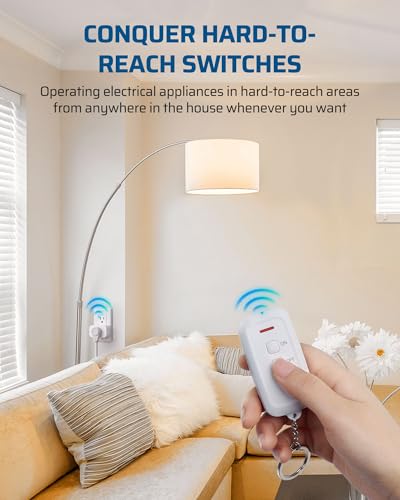
- Simplify the control method. Try a short, clear voice command like “turn on living room lamp” and check that the device name is simple in the app. If voice stays difficult, try a plug with a handheld remote instead of an app, so the senior can press a large ON/OFF button from a lap tray, armrest, or bedside table without reaching for the outlet.
- Relocate for safer reach. Place the lamp or fan where the cord does not cross a wheelchair path and where the plug can stay in an outlet that is visible and accessible without moving heavy furniture. Avoid power strips and extension cords for high-wattage devices, keep cords along walls with clips, and choose a compact plug design that leaves the second outlet open for other needs.
- Set up a simple schedule or routine. Instead of manual control every time, use the app to create a schedule that turns a light on at sunset and off at bedtime, or a routine that turns on multiple lights with one command. This may help reduce repeated reaching and provides consistent lighting for evening transfers and navigation.
- Review sharing and caregiver access. Check that the plug is shared to the senior’s phone or voice profile if they want independent control, and that family members who help have access too. Keep login information written in a safe, accessible place and note what each plug controls with a small label near the lamp or switch so everyone uses the same names.
When a Product Can Help
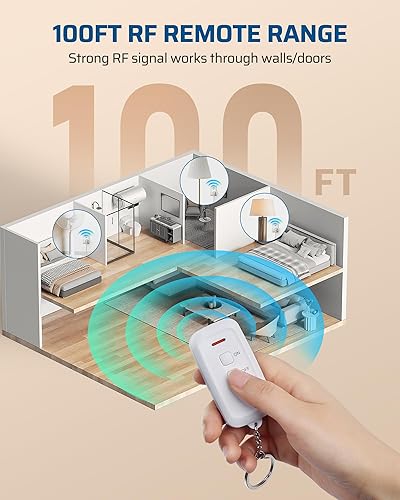
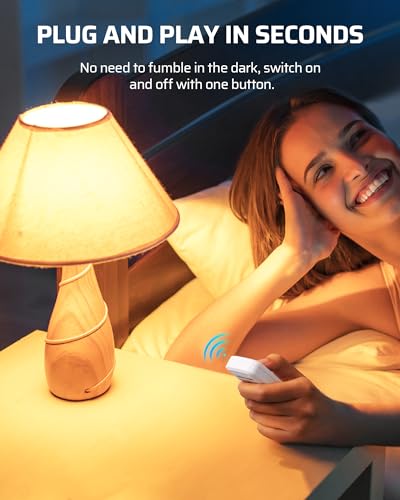
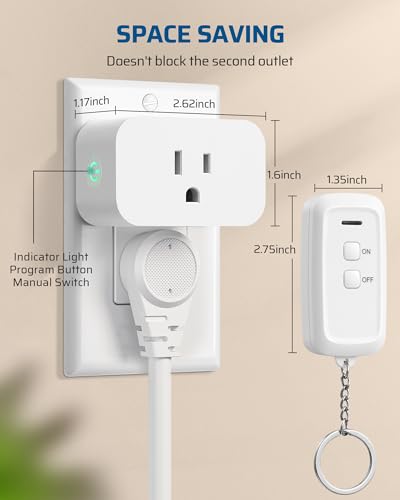
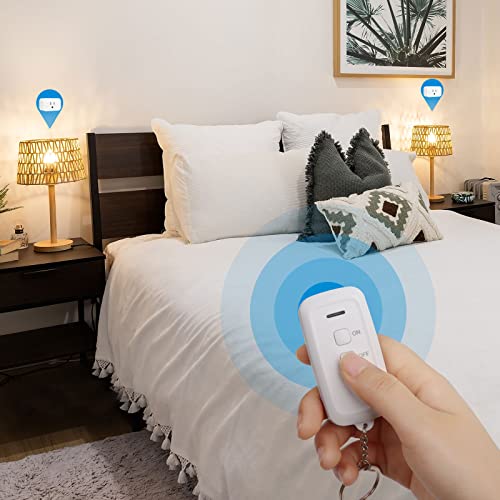
A product may help when Wi-Fi or voice control stays unreliable, or when bending to reach an outlet is difficult from a wheelchair. In those cases, one common option is a wireless remote outlet that does not need an app, hub, or programming and works through walls and doors up to 100 feet with a keychain remote. The DEWENWILS Indoor Remote Outlet, Wireless Switch is described as plug and play with pre-programmed pairing, a compact design that does not block the second outlet, and a built-in safety door, which may help make lamps, fans, and other household devices easier to control without getting up.
This guide contains affiliate links, and we may earn a commission if you buy through them, at no extra cost to you.

Prime DEWENWILS Wireless Remote Outlet Switch





As an Amazon Associate we earn from qualifying purchases. Product prices and availability are accurate as of the date/time indicated.
When to Talk to a Professional Instead
This type of simple fix is not ideal for homes where outlets are loose, warm to the touch, or located where a senior must lean, twist, or cross a cord path from a wheelchair to operate them. If reaching causes fatigue, loss of balance, or the plug sparks or smells warm, unplug the device and avoid further use until a qualified electrician can assess the outlet.
Talk with a physician, physical therapist, or occupational therapist if the senior has had recent changes in strength, vision, or cognition that make remotes, schedules, or voice commands confusing or inconsistent. A professional can suggest safer outlet heights, adaptive switch placement, or other home modifications that support independence without adding new risks. You can also explore broader monitoring options in Smart Alerts & Monitoring.
If you are considering moving outlets, adding new wiring, or mounting heavy equipment to walls, skip this kind of do-it-yourself adjustment and consult a licensed professional instead. They can confirm what is safe for your home layout and the senior’s specific mobility needs, and help you choose solutions that are easier to use from a seated position.
Frequently Asked Questions
Why does my smart plug keep disconnecting for a parent who uses a wheelchair?
Most often the plug loses its 2.4 GHz Wi-Fi connection because the router is far, the network is set to 5 GHz only, or the plug is behind furniture that weakens the signal. Try moving the plug to a more open outlet, confirming the correct Wi-Fi band in your router settings, and reconnecting through the app. If disconnections continue, a non-Wi-Fi remote outlet may be simpler.
Is voice control or a handheld remote better for a wheelchair user?
It depends on speech clarity, hearing, and personal preference. Voice control can be helpful if the assistant hears well from a seated height and commands are short, while a handheld remote with large buttons can be easier if voice is tiring or the home is noisy. Some families use both, a schedule for automatic lighting and a remote for on-demand control.
Can I make lamps and fans easier to control without rewiring?
Yes, try placing lamps where cords stay along walls and outlets are easy to see and reach without moving furniture. Use a compact plug that leaves the second outlet free, label each device clearly in the app, and create simple schedules so lights turn on and off automatically. For more ideas on low-effort control, see best security camera for elderly with balance issues for examples of accessible device placement.
Browse more picks in our Smart Alerts & Monitoring category, or see our related guide on Large Display Doorbells for Stroke Recovery in 2026.









Write Your Review
No reviews yet. Be the first to share your experience!