

Quick Answer
If your blood pressure monitor large display keeps coming loose during a reading, the most common cause is a cuff that is not matched to the arm size or not secured flat on bare skin, combined with a monitor that is sliding on a slick surface. Try repositioning the cuff on a bare arm about one inch above the elbow with the tubing centered, pressing the Velcro flat without wrinkles, and placing the display unit on a stable, non-slip surface at heart level. If the Velcro no longer holds firmly or the cuff is the wrong size, a replacement cuff or a different monitor style may be the simpler next step.
Why This Happens
A loose cuff is often about fit and surface, not about you doing anything wrong. Many standard cuffs rely on Velcro that can collect lint, lose grip over time, or not make full contact if the cuff is wrapped over a sleeve or at an angle. When the closure does not stay flat, the cuff can slip or pop open as it inflates.
Arm size matters more than most people expect. A cuff that is too small may not close securely, while one that is too large can bunch and slide down the arm. For seniors aging in place, reduced hand strength or limited shoulder range of motion can also make it harder to wrap the cuff snugly with one hand, which leads to a looser fit and movement during inflation.
The display unit itself can add to the problem. If the monitor sits on a smooth table, a bedspread, or an uneven tray, tubing tension can pull it toward the edge or cause it to tip when you press start. This movement can tug on the cuff and make the whole setup feel unstable, even when the cuff was initially positioned correctly. You can find related guidance on choosing easier to read options in this overview of Large Display BP Monitors for Elderly With Hearing Loss.
Storage and handling can also loosen the fit over time. Rolling the cuff too tightly, folding the tubing sharply, or storing the monitor where it gets bumped can weaken the Velcro and stretch the fabric. Keeping the cuff loosely rolled with the Velcro closed and the tubing gently coiled may help it keep its shape longer.
Practical Steps to Try
Try these steps in order, starting with the simplest checks. Stop and reassess if anything feels uncomfortable or if readings remain inconsistent.
- Check clothing and cuff position. Move the cuff to bare skin, not over a shirt sleeve, and place its lower edge about one inch above the elbow crease. Keep the air tubing centered over the inner arm and smooth out any folds so the Velcro can make full contact. Sit with feet flat, back supported, and arm resting on a table at heart height.
- Inspect and refresh the Velcro closure. Look for lint, hair, or dust on both sides of the fastener and gently clean it with a lint roller or soft brush. When you wrap the cuff, press firmly along the entire edge so it lies flat without gaps or twisted corners. If the Velcro feels smooth and no longer grips, it may be worn and need replacement.
- Stabilize the monitor and tubing. Place the display unit on a flat, non-slip surface like a placemat or tray, close enough that the tubing has a gentle curve without pulling. Avoid letting the tubing hang off the table or wrap tightly around the arm. Keep the monitor still after you press start and avoid moving or talking during the measurement.
- Confirm the cuff size matches the arm. Check the size range printed inside the cuff and compare it to the arm circumference measured around the midpoint between shoulder and elbow. If the cuff barely closes or overlaps excessively, a different size may provide a more secure and comfortable hold. Many families find this detail helpful when reviewing options in the Health Monitoring Devices section.
- Create a consistent, easy to repeat setup. Use the same chair and table each time, store the monitor and cuff together in a small basket or drawer, and keep the cuff loosely rolled to protect the Velcro. A short, repeatable routine can make it easier for a senior to position the cuff the same way without extra reaching or adjustments.
When a Product Can Help
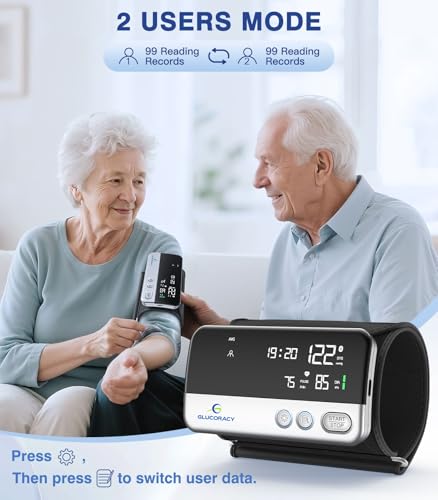
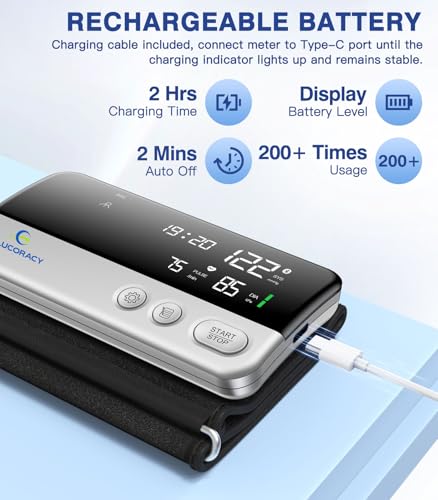
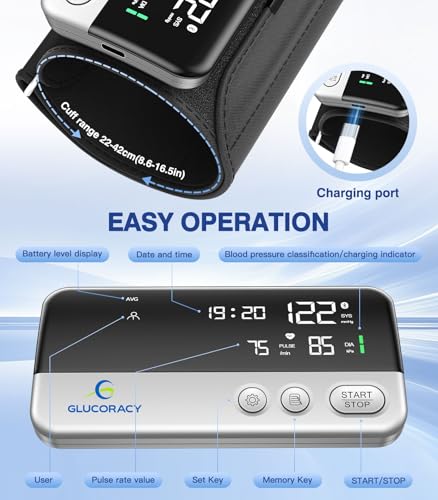
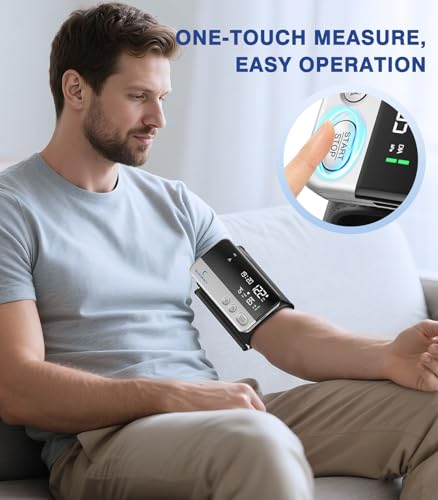
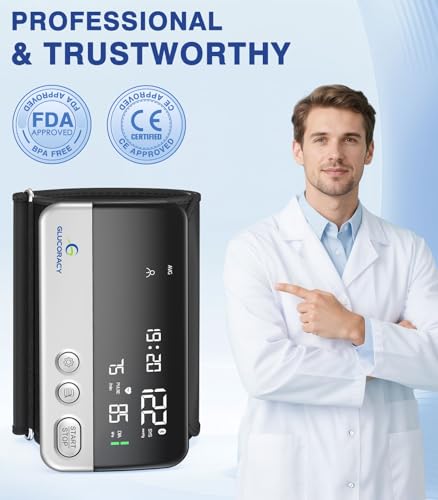
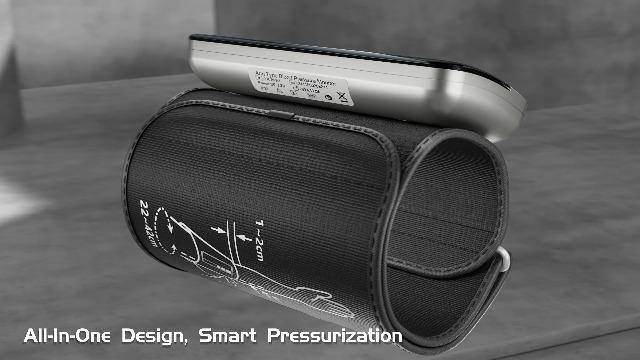
If cleaning the Velcro, adjusting position, and confirming size do not keep the cuff secure, or if one-handed wrapping remains difficult, a different design may be more practical than continuing to adjust the current one. This is often the case when hand strength is limited, the cuff is visibly worn, or the display is hard to read at a glance. In that situation, one common option is a monitor with a large, easy to read display and a simple operation that may help reduce fumbling and repositioning, such as the Glucoracy Arm Blood Pressure Monitor for Home described by its maker as offering a large display for home use. It can be worth considering when a secure, straightforward setup matters more than trying to extend the life of a loose cuff.
This guide contains affiliate links, and we may earn a commission if you buy through them, at no extra cost to you.

Glucoracy Upper Arm Blood Pressure Monitor


As an Amazon Associate we earn from qualifying purchases. Product prices and availability are accurate as of the date/time indicated.
If you decide to explore a replacement in 2026, look for features that address the looseness directly, such as a clearly marked cuff size range, a strong Velcro closure that lies flat, and a stable base that stays put on a table. Keeping the instruction card nearby and choosing a model with a display you can read without leaning forward may also help you maintain a steady arm position during readings. For broader context on related health tools, you may also find the guide to Best Pulse Oximeter for Seniors with Arthritis useful for ideas on easy handling features that translate well to blood pressure monitors.
When to Talk to a Professional Instead
A home adjustment is not the right approach if readings are consistently unexpected, if the arm has swelling, pain, or a recent injury, or if a senior feels dizzy, short of breath, or unwell during monitoring. In those situations, contact a physician, healthcare provider, or home health nurse for guidance on what to do next and how to monitor safely.
This type of large display monitor also is not ideal for seniors who need a cuff size outside the standard adult range, who have limited ability to sit upright at a table, or who require more specialized monitoring after a recent procedure. A healthcare provider or occupational therapist can help assess arm size, positioning needs, and whether a different cuff style or monitoring plan would be more appropriate for aging in place.
If you notice frequent error messages, the cuff will not stay closed even after cleaning, or you are unsure whether the device is giving reliable information, skip this home fix and seek professional input rather than repeatedly retrying measurements. Bring the monitor and cuff to the appointment so the care team can check fit and technique.
Frequently Asked Questions
Why does my large display blood pressure cuff keep sliding down my arm?
Sliding often comes from wrapping over clothing, placing the cuff too low, or using a cuff that is too large for the arm. Try bare skin placement about one inch above the elbow, smoothing the cuff flat, and checking that the size range on the cuff matches the arm measurement.
Can I use tape, safety pins, or extra straps to keep the cuff tight?
It is better not to add tape or pins, as they can create uneven pressure, damage the cuff, or interfere with how it inflates. Try cleaning the Velcro, repositioning on a stable surface, and confirming the correct cuff size first. If it still will not hold, consider a replacement cuff or monitor designed for easier one-handed use.
How do I know if I need a new cuff or a whole new monitor?
If the display powers on and shows numbers clearly but the Velcro is worn or the cuff size is wrong, a compatible replacement cuff may be enough. If the display is dim, buttons are hard to use, the unit slides easily, or errors continue after fit is corrected, a complete replacement with a stable base and large display may be more practical.
Browse more picks in our Health Monitoring Devices category, or see our related guide on Medline Bed Wedge Pillows for Elderly Support in 2026.








Write Your Review
No reviews yet. Be the first to share your experience!