

For many older adults who spend much of the day in a bedroom, kitchen, or living room away from the entry, hearing a doorbell and rushing to answer can be tiring and uncertain. Not being able to see who is outside before opening the door can add worry, especially in the evening or when mobility is limited. A video doorbell that pairs an outdoor camera with a large indoor touch screen may help reduce that hurry and support more confident decisions at the door.
This NOVA smart doorbell with large display review for elderly looks closely at a single product, the Wireless Smart Video Doorbell System,7″ from WISDOMVIEW, using its published specifications and feature list. You will learn how its display, wireless design, and alert features may fit senior households, where the trade-offs lie, and which homes are most likely to be satisfied.
This guide contains affiliate links, and we may earn a commission if you buy through them, at no extra cost to you.

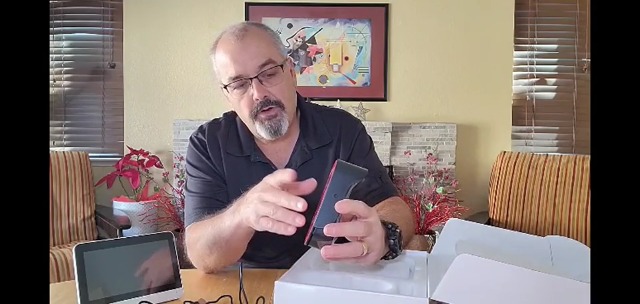
WISDOMVIEW Wireless Smart Video Doorbell





As an Amazon Associate we earn from qualifying purchases. Product prices and availability are accurate as of the date/time indicated.
What Stands Out
7-Inch 1080P Touch Screen That Supports Easier Viewing
The standout element in the spec sheet is the 7-inch indoor monitor with 1080P resolution and a minimalist touch system described as even easier to use than a smartphone. For older eyes, that larger screen can make faces, packages, and clothing details more legible than a small phone screen. All core functions are integrated on the monitor, including answering calls, unlocking doors, and live monitoring.
Because the monitor is wireless, you can place it where you spend the most time, whether that is the bedroom nightstand, the kitchen counter, or the living room side table. That flexibility means you may not need to carry a phone from room to room to see who is at the door. For caregivers, it also creates a simple, stationary spot where a parent can check the entry without navigating app menus.
The touch interface is designed around large, clear controls rather than tiny buttons, which can be helpful if dexterity or vision makes phone apps harder to manage. The display is rated to show sharp images in daylight and to switch automatically for night viewing, so the same monitor serves both day and evening checks. If you are comparing indoor-screen options, the Smart Alerts & Monitoring category offers context on how screen-based alerts differ from phone-only alerts.
From an aging-in-place view, having a dedicated screen reduces reliance on remembering to keep a phone charged, unlocked, and nearby. It also gives visitors a familiar, TV-like interaction point rather than a multi-step app workflow. That simplicity can support independence while still allowing family to stay connected through the companion app.
True Wireless Design With Flexible Placement and App Access
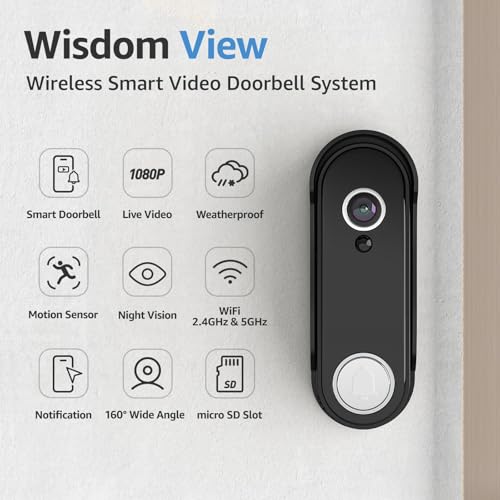
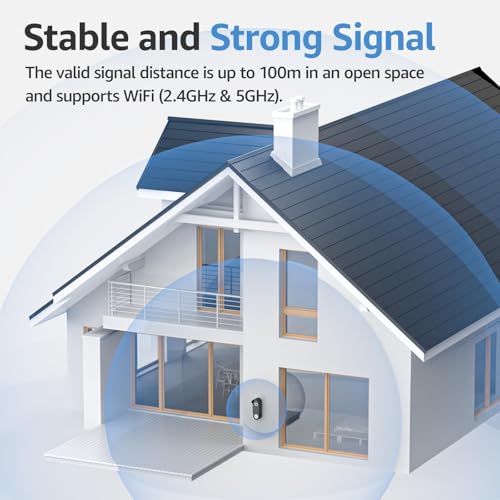
The system is listed as true wireless with no cables, no wiring, and no drilling required, with installation described as taking as little as five minutes. That approach can be appealing for renters, for homes where running wires is difficult, and for caregivers who want to avoid complex setup. The doorbell camera communicates with the monitor over its own wireless signal, and the monitor can connect to both 2.4G and 5G WiFi for app access.
Signal performance is rated to reach up to 60 meters in open spaces, with better penetration than many WiFi-only doorbells. In real homes, walls, furniture, and building materials will shorten that range, so placement matters. The listing notes that metal doors can interfere strongly with wireless signals, which is important to consider before mounting.
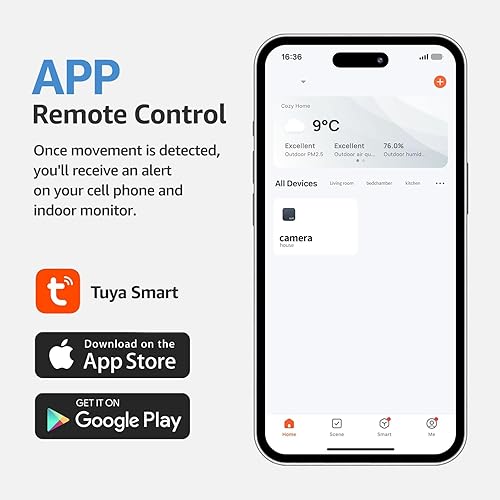
When connected to WiFi, the monitor works with the TuyaSmart app, often shown as Touya Smart in the listing, so you can receive alerts, view the camera, and talk to visitors from a phone even when away from home. You can also share access with family members, so multiple people can respond if the older adult does not hear the chime. For households weighing entry options more broadly, see best smart doorbell with large display for stroke recovery for how large displays support different mobility needs.
The dual approach, a stationary monitor for at-home use plus phone access for away-from-home coverage, may help reduce missed visitors. It also means a senior who prefers not to use a smartphone at all can still answer and see the door from the monitor. That choice can be reassuring for those who find phone notifications overwhelming.
Local Storage With No Subscription Fees
According to the product description, events are stored on an included TF card that sits inside the indoor monitor, and those clips are accessible both on the monitor and in the TuyaSmart app. There are no subscription fees or monthly charges for that storage. For households on fixed incomes, avoiding an ongoing fee can make long-term use more predictable.
Keeping the card inside the monitor rather than in the outdoor doorbell adds a layer of protection for your recordings. If the outdoor unit were damaged or removed, the stored video would remain indoors on the monitor. That design may help preserve evidence of visits or deliveries without relying on cloud plans.
Access is described as straightforward, with clips viewable directly on the 7-inch screen or on a phone through the app. There is no need to manage a separate cloud account to review everyday events. If you are comparing ongoing costs across monitoring tools, Best Security Camera for Elderly with Osteoporosis: 2026 10 Safe Picks illustrates how local storage models differ from cloud-based ones.
For caregivers, local storage can simplify support, since there is no subscription to renew or payment method to maintain for the older adult. You can help set up the card once and then show how to replay clips on the monitor. That one-time setup aligns well with low-maintenance aging-in-place goals.
160-Degree View, Motion Alerts, and Two-Way Audio for Daily Reassurance
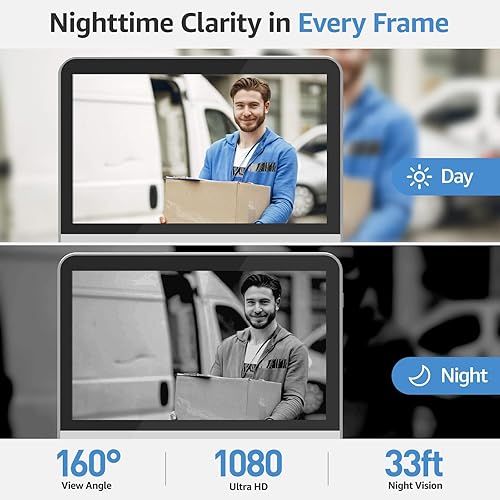
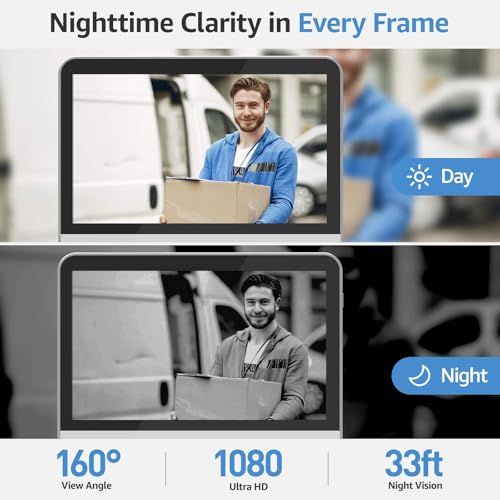
The doorbell camera is listed with a 160-degree wide-angle lens, which helps reduce blind spots at the entry and captures more of the porch in a single view. That broader field can make it easier to see a visitor standing to the side, a package placed low, or more than one person at the door. Combined with 1080P resolution, the image is intended to stay clear for identification.
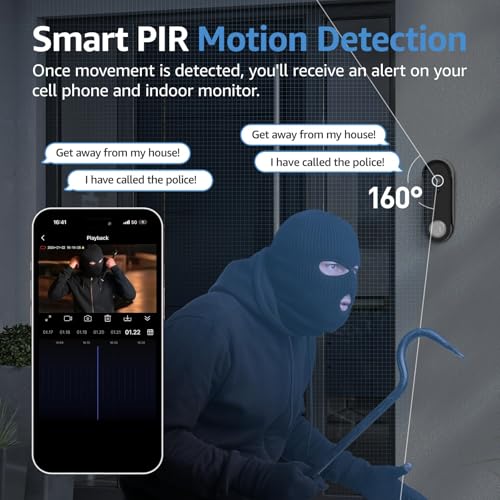
Intelligent motion detection is rated to trigger within about five meters and push notifications to both the indoor monitor and the connected phone. When motion is detected, video is automatically captured and saved to the TF card in the monitor. That automatic capture can be helpful for seniors who may not reach the monitor in time to answer live.
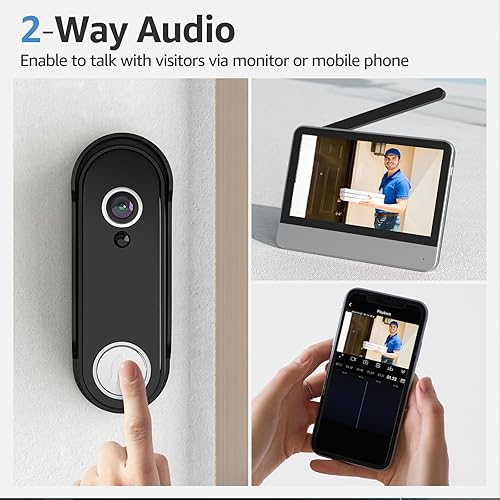
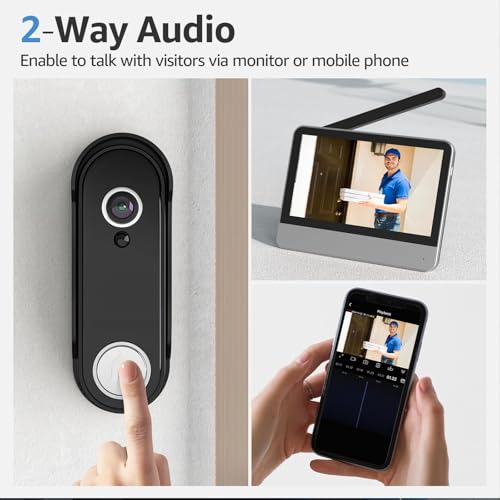
Two-way audio is supported through the monitor or the phone, allowing real-time conversation without opening the door. You can greet a neighbor, ask a delivery driver to leave a package, or let a family member know you will be right there. For many older adults, being able to speak through the screen may help reduce the need to hurry to the entry.
Night vision is handled by automatic day and night switching with infrared support, so the camera can provide visibility in low light. That can be reassuring for evening visits or early morning deliveries. To see how motion and night vision features compare across alert devices, you may find best security camera for elderly with balance issues useful for additional context.
Together, these features aim to create a calmer door-answering routine, with visual confirmation before any physical movement to the door. The system is positioned as a reliable entry guard that works both at home on the monitor and away on the app. That dual coverage can support both independence and family peace of mind.
Where It Comes Up Short
Even with its strengths, the spec sheet points to a few practical trade-offs to weigh. The indoor monitor is battery powered and will need regular charging, and the doorbell camera also relies on battery power, so households should plan for a charging routine. Signal range is rated for open areas, but interior walls, especially load-bearing walls, and metal doors can shorten the effective distance and may affect placement options.
Monitoring time is limited by design to conserve power, and the app experience depends on a stable WiFi connection and correct pairing with TuyaSmart. The listing shows variation in the app name spelling, which can cause brief confusion during setup, and like many wireless video systems, it does not provide continuous 24-hour recording. If you expect nonstop video or a fully hardwired chime, this model may feel more limited than a wired alternative. The Smart Home for Seniors hub can help you compare wireless versus wired entry approaches.
Who Should Buy This
This system may be a good fit if you or a loved one prefers a large, stationary touch screen over a phone-only doorbell and wants simple at-home answering with optional phone access for family. It suits seniors who spend most of the day in one or two rooms, caregivers who want shared app access and motion alerts without adding a monthly fee, and households that value quick, wire-free installation. The wide-angle view, night vision, and two-way talk add everyday reassurance without requiring the door to be opened.
It also aligns well with homes where a clear, minimalist monitor can serve as the primary interface, while the app acts as a backup for times when the older adult is resting or away from the screen. If your priority is seeing and speaking to visitors from a comfortable spot indoors, this spec profile matches that routine closely.
Who Should Skip It
This option is not ideal for homes with a metal front door, very thick masonry or load-bearing walls between the entry and the desired monitor location, or layouts that require very long wireless hops through multiple obstructions. It is also not a good fit if you want continuous all-day recording, a hardwired indoor chime, or a system that never needs charging, since both the monitor and the doorbell rely on battery power. In those cases, a wired video intercom or a different wireless system with a powered base station may be more suitable.
Households that prefer to avoid any app setup at all, or that need extensive cloud archiving beyond local TF storage, may also want to consider alternatives. If you are exploring entry control without video, best smart lock for seniors with knee replacement offers ideas that focus on lock operation rather than visitor video.
Frequently Asked Questions
Does the Wireless Smart Video Doorbell System,7″ need WiFi to work at home?
According to its description, the doorbell and monitor communicate over their own wireless signal, so basic indoor viewing and answering can work without home WiFi. You will need WiFi if you want phone alerts, remote viewing, and sharing through the TuyaSmart app. For at-home only use, the monitor alone can handle calls and monitoring.
Can family members answer the door from their phones?
Yes, when the monitor is connected to 2.4G or 5G WiFi and linked to the TuyaSmart app, family members with shared access can receive push alerts, view live video, and use two-way audio from their phones. That can be helpful if the older adult does not reach the monitor quickly. At home, the senior can still answer directly on the 7-inch screen.
How does storage work without a subscription?
Events are saved to the included TF card located inside the indoor monitor and can be viewed on the monitor or in the app, with no subscription required. Because the card is indoors, recordings remain protected even if the outdoor doorbell is damaged. You can review clips locally without managing a cloud plan.
Browse more picks in our Smart Alerts & Monitoring category, or see our related guide on Large Display Doorbells for Stroke Recovery in 2026.




Write Your Review
No reviews yet. Be the first to share your experience!