

Quick Answer
If your smart plug for elderly use is not working well for a senior with Parkinson’s, the most common reason is that voice control and small app buttons do not match changing speech volume, tremor, or dexterity. WiFi drops and complex setup make it worse. Try simplifying to a large button remote control, setting automatic schedules, and checking the WiFi connection before you replace the whole system.
Why This Happens
Voice activated plugs often struggle when Parkinson’s affects speech clarity, volume, or timing. Alexa and Google Assistant may not hear a softer voice or may time out before the command is finished, which makes it feel like the plug is broken when it is really a mismatch. Always check with a healthcare provider or occupational therapist before making safety changes for a senior in your care.
Touch and app controls can also be hard to use with tremor or stiffness. Small icons, swipe gestures, and holding a phone steady long enough to tap the right tile are common barriers. If the senior has to bend to reach the outlet, that adds fall risk and frustration.
WiFi based plugs add another layer of failure. They need a steady 2.4GHz connection, regular app updates, and re pairing after a power outage. In homes with weak WiFi or frequent outages, the plug may appear offline or respond slowly, even though the lamp itself is fine.
Finally, some plugs are simply the wrong fit for the task. A smart plug that requires a phone app for every on and off is not practical for someone who needs a quick, tactile way to turn on a bedside lamp at night. Choosing a control method that matches the person’s current abilities matters more than adding more features. You can explore simpler options in Voice Assistants & Automation to see what level of automation fits daily routines.
Practical Steps to Try
- Check power, WiFi, and placement first. Make sure the plug is fully seated in the outlet, the lamp’s own switch is left in the on position, and the router is working. Try moving the plug to an outlet closer to the router or using a WiFi extender if the signal is weak in that room.
- Simplify voice commands if you keep a voice plug. Use short, consistent phrases like “turn lamp on” and keep the smart speaker within a few feet, at table height, away from TV noise. Create a routine so one simple phrase controls the light, and check that the device is set to listen at a comfortable volume and sensitivity.
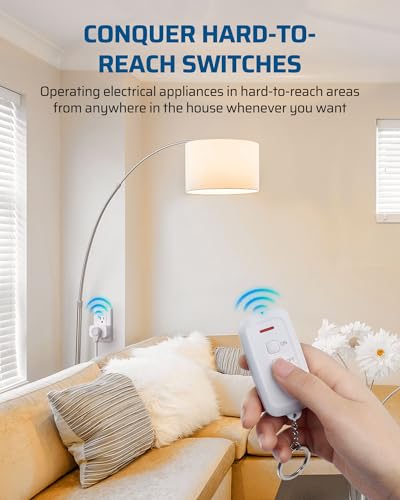
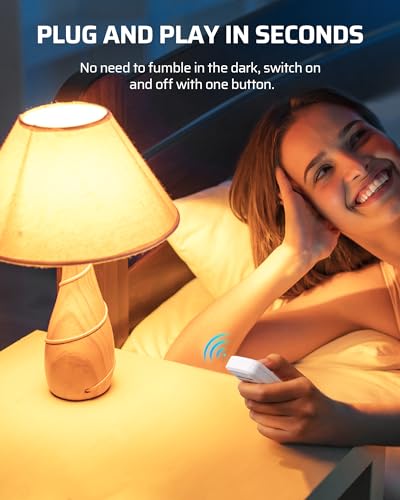
- Add a large button tactile option. For many people with tremor, a physical remote with big on and off buttons is easier than voice or an app. Keep the remote in a fixed spot, like on a nightstand with Velcro or a lanyard, so it is always within reach and does not get lost.
- Set automatic schedules to reduce daily button presses. Use the app once, with help from a family member, to schedule the lamp to turn on at dusk and off at bedtime. This way the senior does not have to operate the plug at all for routine lighting, which may help reduce the risk of fumbling in the dark.
- Make the setup caregiver friendly and consistent. Label the remote buttons with large print, pair one remote to multiple outlets if needed so one press controls the main lights, and keep a written one page guide near the outlet. If you use cameras or other alerts elsewhere in the home, keep controls consistent, as discussed in best security camera for elderly with balance issues.
When a Product Can Help
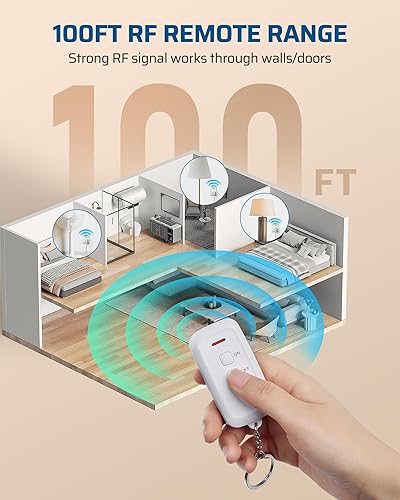
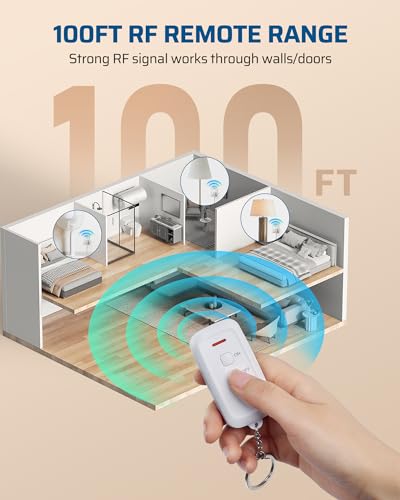
A product is worth considering when voice or app control keeps failing despite troubleshooting, or when the senior needs a simple press button option that does not rely on WiFi or a phone. In those cases, a plug in remote outlet kit with a pre paired remote can be a practical next step because it works with a strong RF signal through walls, needs no programming, and offers a familiar on and off press. This type of setup is often easier for caregivers to maintain as well.
This guide contains affiliate links, and we may earn a commission if you buy through them, at no extra cost to you.

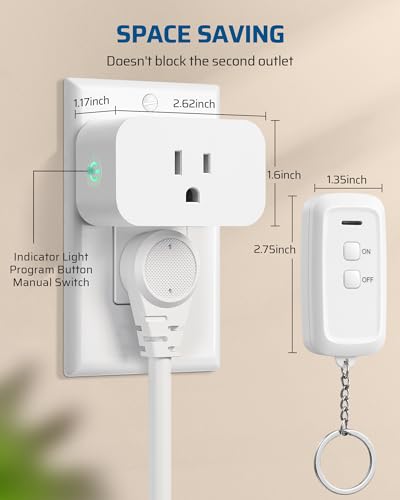
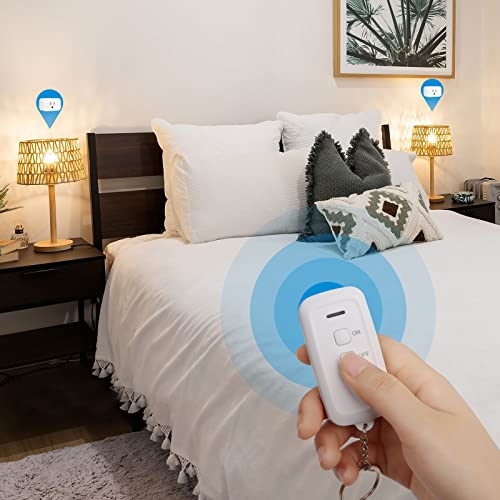
Prime DEWENWILS Wireless Remote Outlet Switch





As an Amazon Associate we earn from qualifying purchases. Product prices and availability are accurate as of the date/time indicated.
This kind of wireless switch is described as plug and play with no hub or app required, and the remote can work up to 100 feet away. The compact design keeps the second outlet free, and the built in safety door may help reduce the risk of accidental contact. For a senior with Parkinson’s who finds voice timing or phone apps tiring, one common option is to keep the smart features for schedules but use the remote for everyday on and off.
When to Talk to a Professional Instead
A new plug or remote is not the right choice if the real issue is frequent falls, freezing, or difficulty moving safely to the light switch in the first place. If lighting problems are linked to nighttime confusion, recent medication changes, or worsening mobility, talk with a physician, physical therapist, or occupational therapist before adding more devices.
This approach is not ideal for seniors who need hands on help with daily activities, have unsafe wiring, or live in a home where outlets are loose, warm, or behind heavy furniture that requires bending and reaching. A professional can assess the home layout, lighting needs, and safe placement of controls rather than relying on a plug alone.
An occupational therapist can also suggest alternative strategies, such as motion activated lights, repositioning lamps, or other Smart Alerts & Monitoring tools that fit the senior’s routine. If you are comparing alert options, you may find context in best smart doorbell with large display for stroke recovery, which shows how large, simple controls support changing abilities.
Frequently Asked Questions
Why does the smart plug respond sometimes but not other times for my parent with Parkinson’s?
Inconsistent response is often due to WiFi drops, background noise, or voice volume changes rather than a broken plug. Try checking the WiFi strength in that room, reducing noise near the speaker, and using a short, consistent command, or add a button remote as a backup.
Is a voice controlled plug or a remote control plug better for tremor?
Many caregivers find a large button remote is easier when tremor makes phone taps or precise voice timing hard. Voice can still be useful for hands free schedules, but a physical remote gives immediate tactile feedback and does not need a phone or clear speech to work.
Can I make the smart plug work without a phone app every day?
Yes. Try setting a schedule once in the app so the light turns on and off automatically, then leave daily control to a remote or to the lamp’s own switch if the plug allows it. Keep the app for caregiver adjustments only, so the senior does not need to open it.
Browse more picks in our Smart Alerts & Monitoring category, or see our related guide on Large Display Doorbells for Stroke Recovery in 2026.








Write Your Review
No reviews yet. Be the first to share your experience!