

Quick Answer
If a large button smart switch feels unsafe during hip replacement recovery, bring the control to you instead of reaching for the wall. Try mounting a wireless remote at waist to chest height near the bed or favorite chair, adding voice control if available, and making sure you can operate lights without bending, twisting, or standing on tiptoes.
Why This Happens
Always check with a healthcare provider or physical therapist before making mobility changes for a senior recovering from hip replacement. A large button can still be hard to use if its location forces unsafe movement.
Most wall switches are installed around 48 inches high, but lamps and power outlets are often much lower. Bending down to reach a floor lamp switch or stretching to a hallway switch can require hip bending or twisting that is not comfortable during early recovery.
Some large button switches also need a firm press, have low contrast against the wall, or are in a dark hallway. If you have to lean, balance on one leg, or feel for the button in the dark, the switch may help less than expected and may increase unsteadiness.
Caregivers often notice the issue at night. A senior may avoid turning on a light because the switch is too far, then try to navigate in low light, which may increase the chance of a misstep. Bringing a simple, well lit control closer to the bed often helps more than making the wall button itself larger.
A single wall control can also leave gaps. If the only switch is across the room, you may need to walk in the dark to turn on a light, which is a common reason families look for remote or voice options. For broader home setup ideas, you may find the guide to ADA alexa setup for seniors aging in place helpful for hands free control planning.
Practical Steps to Try
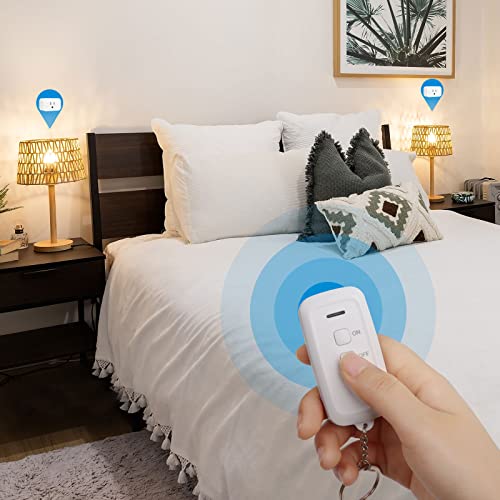
- Move the control point to a natural reach zone. Try placing a wireless remote or secondary switch at waist to chest height on a nightstand, side table, or wall next to the bed and the most used chair. This lets you turn lights on and off while seated or standing upright without bending low or reaching overhead. Check that the remote stays in the same spot every time so you do not have to search for it.
- Keep the remote fixed and visible. Use a magnetic holder, adhesive mount, or Velcro strip to keep the large button remote on a headboard, refrigerator, or wall at arm’s reach. Add a small night light nearby so the button is easy to see at night. A high contrast sticker or tactile bump dot can also help you find the ON and OFF areas by touch.
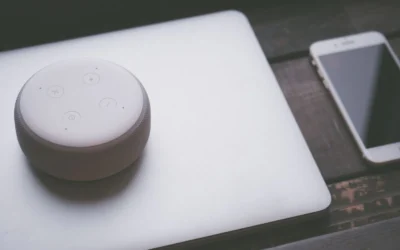
- Add a hands free backup so you are not dependent on one button. If you already use a voice assistant, try linking the light to a simple voice command like “turn on bedroom light.” This gives you an option when your hands are full with a walker or cane. See also best smart plug for elderly with low vision for ideas on pairing voice control with clear visual cues.
- Make the press easier and more reliable. Check that the large button presses with light force and gives clear feedback, such as a click or indicator light. If the wall switch is stiff or recessed, consider leaving it in the ON position and using a plug in remote at the lamp itself instead, so you avoid repeated hard presses.
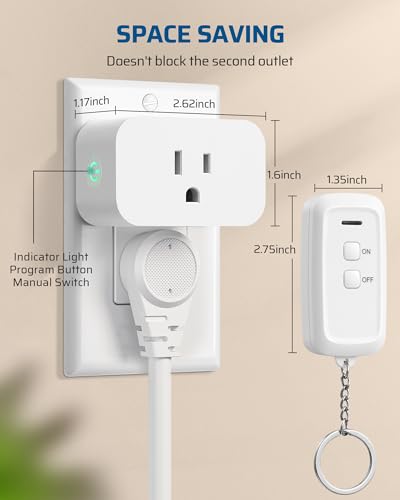
- Clear the path and secure the setup. Make sure lamp cords are tucked against the wall, the outlet is not loose, and the floor between bed, bathroom, and switch is clear of rugs or clutter. If you use a plug in outlet switch, confirm it is rated for the lamp or appliance you are controlling and that it does not block the second outlet you need.
When a Product Can Help
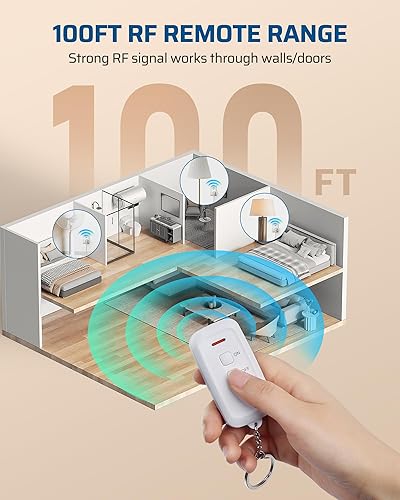
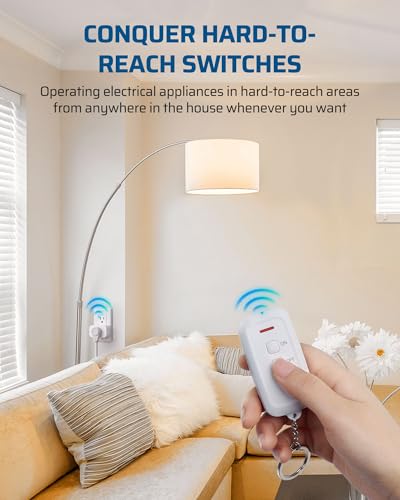
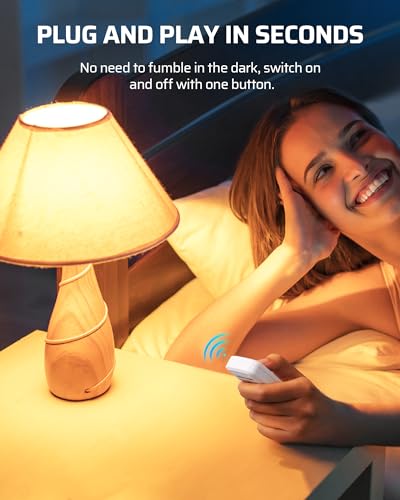
If moving the wall switch is not practical, a plug in wireless remote outlet can be a reasonable next step. It lets you keep the existing large button wall switch turned on and control the lamp from a portable remote you keep at your chair or bedside, which may help reduce the need to walk across a dark room or bend to reach a low outlet. One common option families consider is the DEWENWILS Indoor Remote Outlet, Wireless Switch, which is described as plug and play with no programming needed, a simple ON/OFF button, and a strong RF signal that works through walls up to 100 feet with a keychain remote that is easy to keep nearby. Its compact design is noted to leave the second outlet open and includes a safety door feature, and it is rated for common household lamps and small appliances.
Look for features that support daily use, such as a single large ON/OFF button, clear labeling, and a remote that can be attached with a magnet so it does not get lost between cushions. A system that is pre paired and does not require an app may be easier for seniors who prefer a simple press to control a bedside or living room lamp.
This guide contains affiliate links, and we may earn a commission if you buy through them, at no extra cost to you.

Prime DEWENWILS Wireless Remote Outlet Switch





As an Amazon Associate we earn from qualifying purchases. Product prices and availability are accurate as of the date/time indicated.
For context on choosing entry and automation devices that work well together during recovery, you can also review best smart lock for seniors with knee replacement for related ideas on reducing extra trips to the door.
When to Talk to a Professional Instead
This type of remote switch is not ideal for seniors who need to control hardwired ceiling lights, ceiling fans, or outlets that are loose, warm, or show signs of damage, and it is not a good fit if the person is expected to avoid certain movements entirely after surgery.
Talk to a physician, physical therapist, or occupational therapist if the senior feels unsteady, has had a near fall reaching for a switch, or is unsure which movements are safe during hip replacement recovery. A professional can evaluate the home layout, suggest safe reach heights, and recommend whether a different control type, additional lighting, or a referral for home safety assessment is needed.
Also seek professional guidance if you notice increased pain, swelling, or difficulty following hip precautions when using any switch or remote. General household tips do not replace personalized clinical advice, and a healthcare provider can help you decide what changes support independence without adding risk.
Frequently Asked Questions
Can I just leave the large button wall switch on and use a remote instead?
Yes, in many homes families leave the wall switch on and plug the lamp into a wireless outlet controlled by a portable remote. Try this only for plug in lamps and check that the outlet and lamp are in good condition and the remote is always kept in the same accessible spot.
What height is safest for a remote during hip replacement recovery?
Try to keep the remote where you can reach it while standing upright or sitting, typically near waist to chest height on a nightstand or wall mount. Avoid placements that require bending to the floor, twisting, or reaching overhead, and ask a physical therapist if you are unsure what range is comfortable for you.
Do I need Wi-Fi for a safer large button option?
Not necessarily. Many plug in remote outlets use RF signals and work without Wi-Fi, which can be simpler if internet is unreliable. If you want voice control, you will need Wi-Fi and a compatible voice assistant, so choose the option that matches the senior’s comfort with technology and the home’s setup.
Browse more picks in our Voice Assistants & Automation category, or see our related guide on Smart Plugs for Elderly with Low Vision in 2026.





Write Your Review
No reviews yet. Be the first to share your experience!