

Quick Answer
If a large button smart light switch feels unsafe for a senior, make it easier to find, harder to press by accident, and simpler to use. Move the control to a consistent, reachable spot at eye or hand level, add clear visual cues, and simplify the function to one press for on and off before you consider a different device.
Why This Happens
A large button is meant to help, but it can create new problems if it is hard to see in low light, mounted too high or too low, or placed where it gets bumped. Seniors may also hesitate if the button does more than one thing with different press patterns.
Many switches are installed where the original wall switch was, which is not always the best spot for someone who is seated, uses a walker, or has limited reach. If the control requires standing, bending, or precise aiming, it may help reduce the risk of a stumble to bring the control closer to where it is actually used, such as beside the bed or favorite chair.
Confusion can also come from lack of feedback. If there is no clear click, light, or voice confirmation, a senior may press again and again or leave lights off. For ideas on choosing controls that are easier to see and operate, you may find this guide to best smart plug for elderly with low vision helpful for low vision friendly options.
Automation settings can add another layer. Schedules, dimming, or color changes that were set up earlier may make the button behave unpredictably. Reviewing the app or hub settings to keep the button to a single, consistent action often makes it feel safer and more reliable. The Voice Assistants & Automation category has more general guidance on simplifying these setups.
Practical Steps to Try
- Choose a consistent, reachable location. Try placing the switch or its remote on a nightstand, side table, or wall at hand height near the bed or chair. Use adhesive backing or a small tray so it does not slide, and keep it in the same spot every day so it can be found by touch.
- Improve visibility and tactile cues. Try adding a high contrast label above the button, such as large print that says LIGHTS, and a small raised bump dot on the on area if the button is flat. A nearby plug in night light can also make the control easier to locate without glare.
- Simplify what the button does. Try setting the large button to a single function, one press for on and one press for off, and turn off extra features like long press dimming or double press scenes for now. Check the app to confirm the action is consistent every time.
- Reduce accidental presses. Try adding a slight border or guard around the button if it is on a table, or mount it on a vertical surface where it will not be leaned on. Keep cords and clutter away from the control area so reaching for it does not require stretching or twisting.
- Add a backup control method. Try pairing a simple voice command or a second remote in another room so the senior does not need to get up if the main button is out of reach. If you use Alexa or Google Assistant, keep the voice phrase short and consistent, like turn bedroom light on. See ADA alexa setup for seniors aging in place for setup ideas that support aging in place.
When a Product Can Help
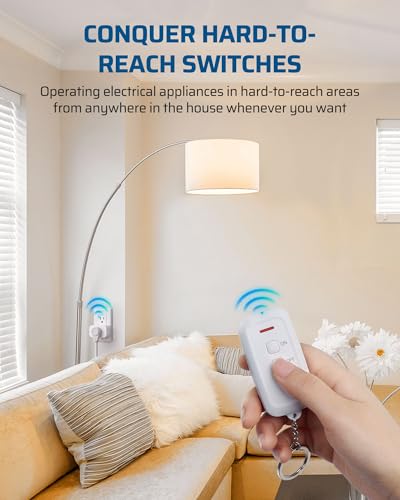
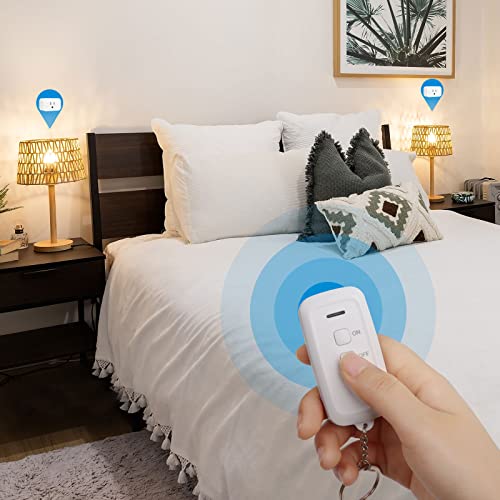
A product can help when the wall switch is hard to reach, the large button is still confusing, or you want a control that stays in one predictable place without rewiring. One common option is a wireless remote outlet system that lets a senior control a lamp from a tabletop remote instead of the wall.
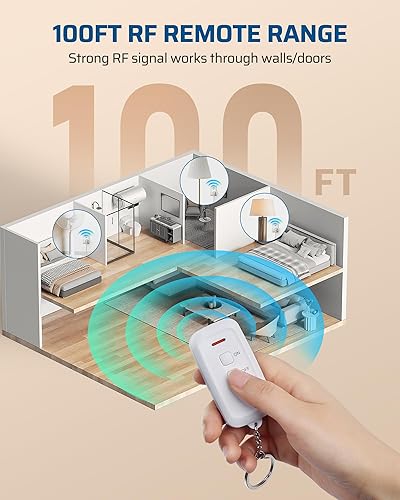
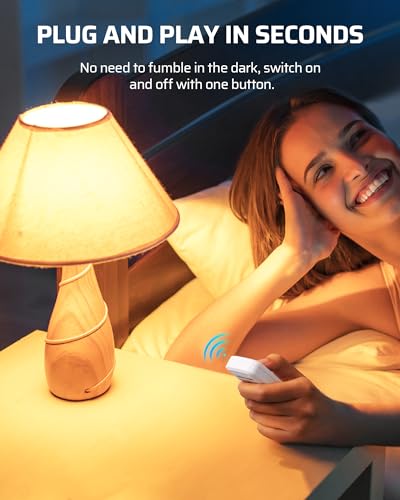
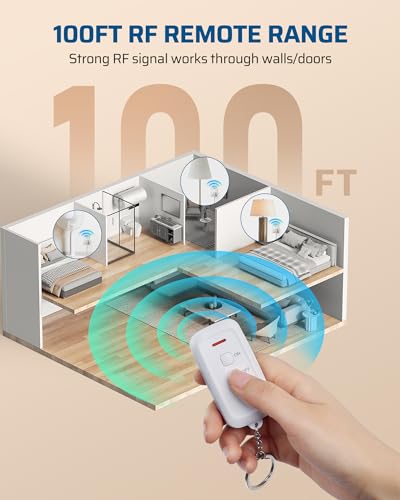
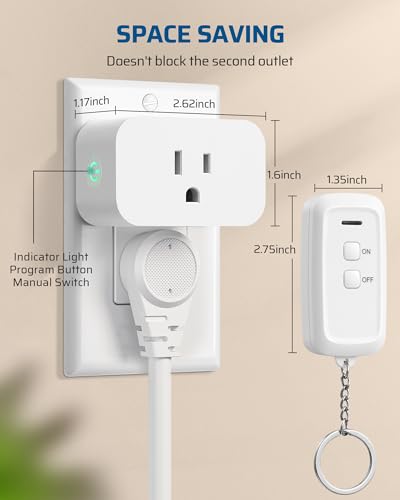
For example, the DEWENWILS Indoor Remote Outlet, Wireless Switch is described as a plug and play wireless remote control light switch with no programming or tools required, using a simple ON and OFF press on the remote. It is noted as suitable for the elderly and those with limited mobility who prefer not to bend or get up, offers up to 100 feet of RF range through walls and doors, and includes a compact design with a keychain remote and built in safety doors on the outlet.
This guide contains affiliate links, and we may earn a commission if you buy through them, at no extra cost to you.

Prime DEWENWILS Wireless Remote Outlet Switch





As an Amazon Associate we earn from qualifying purchases. Product prices and availability are accurate as of the date/time indicated.
If you try this type of option, try placing the remote in a fixed holder on the nightstand, labeling it clearly, and confirming the lamp or device is compatible with the outlet rating listed in the product specifications.
When to Talk to a Professional Instead
A home adjustment is not the right choice when the concern is more than convenience, such as frequent stumbles in the dark, significant vision changes, or difficulty remembering how to use controls safely. In those cases, a professional can assess the whole environment rather than just the switch.
This type of wireless outlet control is not ideal for seniors who need supervised care for cognitive changes, who may be confused by any remote, or where safe lighting is critical for nighttime mobility and fall risk. It is also not a good fit if the home has loose wiring, damaged outlets, or a need for hardwired, code compliant lighting changes that require an electrician.
Consider speaking with a physician, occupational therapist, or other healthcare provider if lighting problems are linked to balance, vision, or memory concerns, or if you are planning larger changes to support aging in place. An electrician or qualified installer should be consulted for any wiring work or if you are unsure about outlet load ratings and safe use.
Frequently Asked Questions
How can I stop accidental presses on a large button switch?
Try moving the control to a flat, stable surface where it will not be leaned on and turn off extra functions like dimming or scenes. A simple border, tray, or wall mount can also help keep the button in place and may help reduce unintended presses.
What if my senior cannot see the button well at night?
Try adding a soft night light near the control and a high contrast label with large print. Keeping the remote or switch in the exact same spot every night also helps it be found by touch and memory.
Should I add voice control instead of a button?
Voice control can be a helpful backup if the button is hard to reach, but keep phrases short and consistent. Try one simple command for on and off first, and keep the large button as a familiar alternative while everyone gets used to the new routine.
Browse more picks in our Voice Assistants & Automation category, or see our related guide on Smart Plugs for Elderly with Low Vision in 2026.






Write Your Review
No reviews yet. Be the first to share your experience!