

Quick Answer
If your smart lock feels hard to use for a senior with osteoporosis, start with the gentlest fixes first: put in fresh batteries, gently clean the keypad or fingerprint reader, and switch to a short 4 to 6 digit code that does not require hard pressing or twisting.
If standing at the door, reaching, or fumbling with a key causes strain or extra time on your feet, a simple keypad with one-touch locking and backup keys may help reduce the risk of added effort at the entry.
Why This Happens
Small buttons, stiff fingerprint readers, and handles that need twisting can be uncomfortable when joints are sensitive or bones are more fragile. Always check with a healthcare provider or occupational therapist before making safety or mobility changes for a senior in your care, especially when osteoporosis is a concern.
Many smart locks need firm pressure or very precise finger placement to register. Dry skin, cold weather, lotion, or slight hand tremor can make a fingerprint reader less responsive, which leads to repeated tries while standing at the door.
Low batteries are a common reason a code seems to fail. You may notice a dim display, delayed beeps, or the need to press harder before the lock responds, and many models show a red low battery indicator when power drops.
Setup and fit also matter. If auto-lock is off, the senior may feel rushed to turn a thumbturn. If the keypad is too high, too low, or poorly lit, it can mean leaning or balancing longer than feels comfortable. A door that is slightly misaligned can also make the deadbolt feel stiff.
For related entry ideas that focus on comfort and visibility, you may find helpful context in best smart lock for seniors with knee replacement and smart locks for seniors with low vision.
Practical Steps to Try
Try these steps in order, starting with the easiest and least physical effort. Make one change at a time so you can see what helps.
- Check power and cleanliness. Replace all batteries with fresh ones from the same package and look for a low battery light or alert. Wipe the keypad and fingerprint area gently with a dry, soft cloth so codes and prints register with a lighter touch.
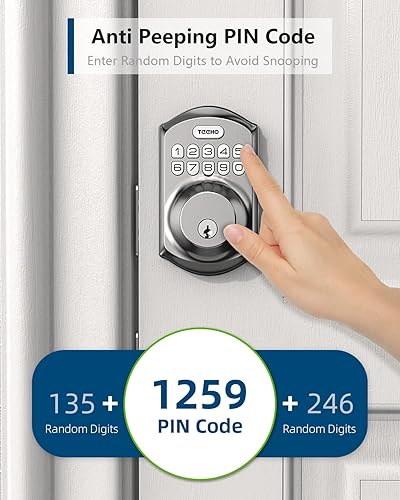
- Simplify the code and how it is entered. Choose a short, easy to remember code without repeated hard presses. If your lock offers anti-peep protection, use it so the senior can add random digits before or after the real code without awkward shielding.
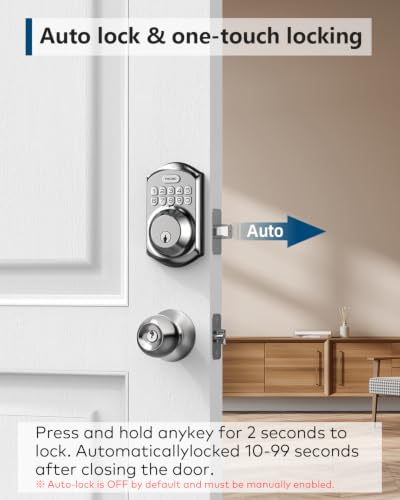
- Adjust locking behavior to reduce twisting and rushing. If the lock offers auto-lock in 10 to 99 seconds or one-touch locking by holding any key for two seconds, enable it so the door secures without extra turning. Check that the door closes and latches smoothly so the deadbolt does not need force.
- Improve the entry setup for less time on your feet. Add bright, even lighting above the keypad, a small shelf or table nearby for bags, and a non-slip mat if the entry gets wet. Keep the path to the door clear and free of cords or rugs that could catch a foot.
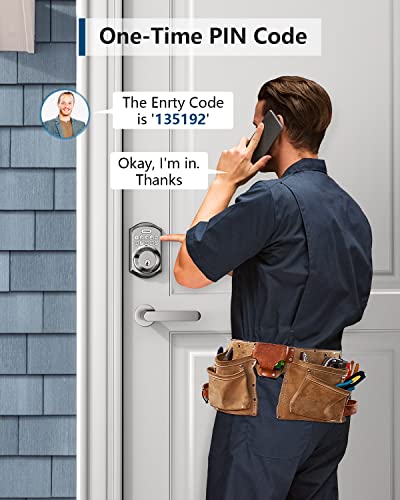
- Create a backup plan that limits repeated tries. Keep backup keys in a secure, caregiver-accessible spot and set a one-time or scheduled code for family, aides, or visitors. This way the senior does not need to stand outside trying the lock repeatedly.
After each step, try the lock with a light touch and see if it responds more quickly. If the senior still needs to press hard, lean in closely, or try many times, consider whether a simpler keypad style would be gentler.
If you are also considering overall entry monitoring to complement a lock update, review best security camera for elderly with osteoporosis for options that work well with keyless entry.
When a Product Can Help
A home fix is often enough, but if the current lock still needs hard presses, exact fingerprint placement, or awkward twisting, a simpler keypad deadbolt can be a practical next step. Look for a model that supports multiple easy codes, one-touch locking, and backup keys so the senior has options that do not depend on fingerprint accuracy alone.
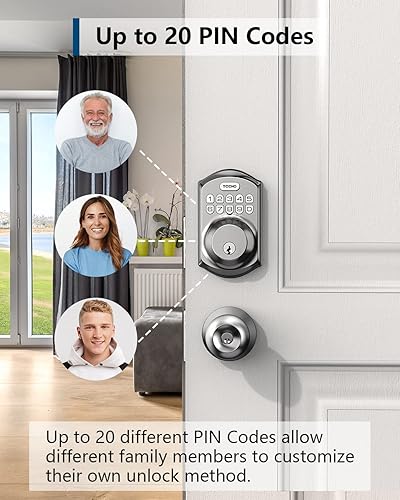
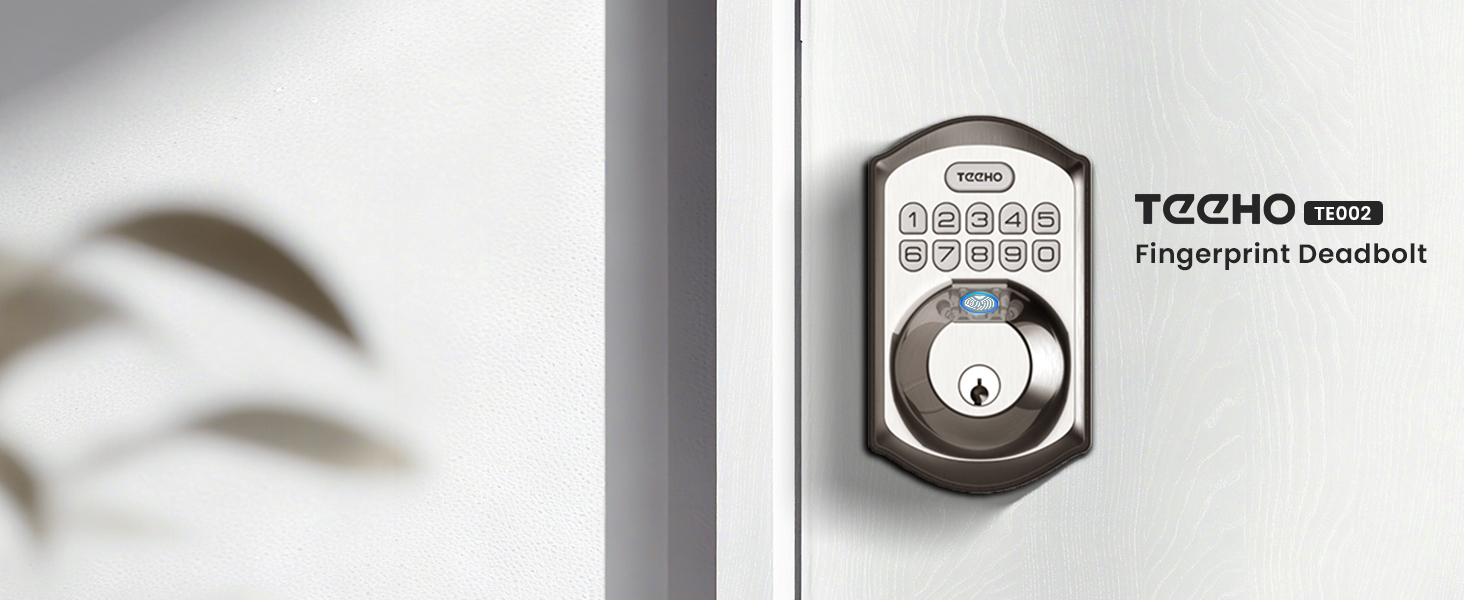
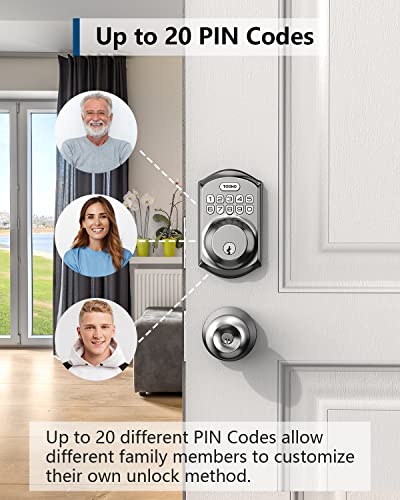
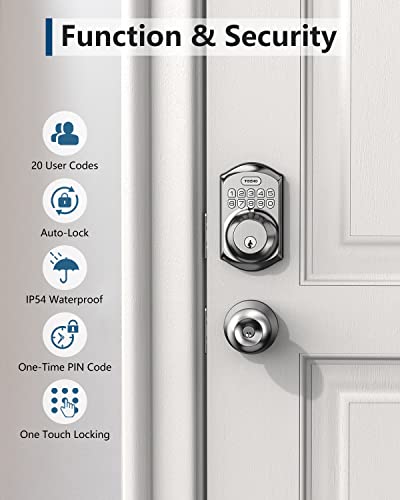
One option caregivers commonly consider is the Smart Locks & Entry category favorite that focuses on keypad simplicity. The TEEHO TE001 Keyless Entry Deadbolt with Keypad offers 20 user codes plus a one-time code for guests, one-touch auto-lock by holding any key, and a low battery indicator that shows when power is low.
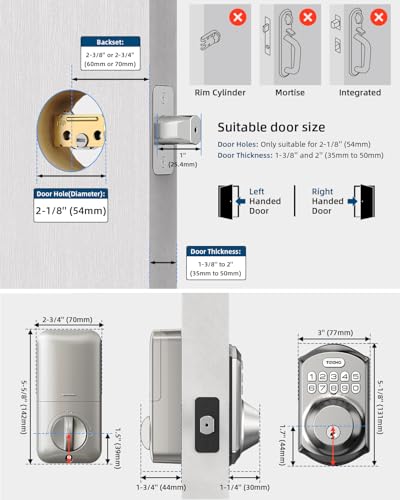
According to its specifications, it is built with an aluminum alloy housing, IP54 weather resistance, and installs with just a screwdriver for standard 2-1/8 inch door holes, with a reset function to adapt to left or right handed doors. It also includes two backup keys and anti-peep code protection.
This guide contains affiliate links, and we may earn a commission if you buy through them, at no extra cost to you.
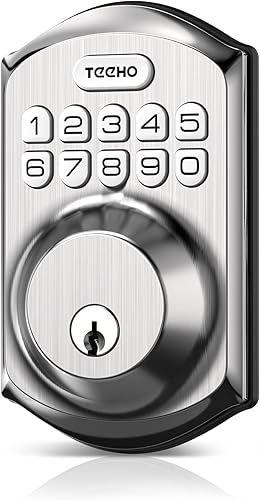
TEEHO TE001 Keyless Entry Keypad Deadbolt




As an Amazon Associate we earn from qualifying purchases. Product prices and availability are accurate as of the date/time indicated.
This type of keypad approach may help reduce the risk of repeated tries at the door because a code can be entered with light taps rather than a firm grip or twist. Choose a code the senior can recall easily, and enable auto-lock so the door secures without extra steps after entering.
When to Talk to a Professional Instead
A lock change is not ideal for every situation. If the senior has frequent balance concerns, a history of fractures, or significant hand pain that makes any keypad use uncomfortable, skip this type of do-it-yourself fix and seek professional guidance first.
Talk with a physician, physical therapist, or occupational therapist if reaching, pressing, or standing at the door causes discomfort or feels unsafe. They can suggest entry strategies that match the senior’s strength and mobility and advise on whether a lever handle, different height, or other adaptation is more supportive.
A locksmith or qualified installer can also check door alignment, deadbolt fit, and strike plate placement so the lock does not require extra force. This product is not a good fit when the entry itself needs larger safety updates, such as a ramp, wider doorway, or when code recall is difficult due to cognitive changes.
In those cases, a professional can recommend solutions that better support independence, such as a lock with caregiver-managed remote access or an entry setup that limits time spent standing outside.
Frequently Asked Questions
Why does the fingerprint rarely work for an older adult?
Fingerprint readers can be sensitive to dry skin, light pressure, and exact finger placement. Cleaning the reader, keeping hands warm and dry, and using a simple keypad code instead often helps the lock respond with less effort and fewer tries.
Should we keep using a key if the smart lock is frustrating?
Keys that need twisting can add wrist strain and time at the door. Many families keep backup keys for emergencies but set a short keypad code for daily use and enable auto-lock so the senior does not need to manipulate a key under time pressure.
How can caregivers help without taking away independence?
Set up individual codes for each caregiver and use one-time codes for occasional visitors so the senior can enter comfortably on their own. If the lock supports it, enable low battery alerts and activity history so family can assist proactively when needed.
Browse more picks in our Smart Locks & Entry category, or see our related guide on Package Delivery Boxes for Hearing Loss in 2026.


Write Your Review
No reviews yet. Be the first to share your experience!