

Quick Answer
If your smart lock for seniors is not working well for a senior with all kinds of needs, the most common issue is a mismatch between the lock and how the senior actually uses the door. Try simplifying the unlock method, checking batteries and door alignment, and resetting codes to something memorable before you buy anything new.
Why This Happens
Many smart locks are designed for tech comfortable users, not for older adults with vision, memory, or hand strength changes. A lock that needs an app, fingerprint scan, or small touchscreen can feel frustrating if fingers are dry, codes are hard to see, or Wi-Fi is spotty.
Physical fit matters too. If the deadbolt drags, the door is slightly warped, or batteries are low, the lock may beep, jam, or fail to lock automatically. Seniors may then push harder or avoid locking the door altogether, which defeats the purpose.
Complexity is another common cause. Locks with many features, temporary codes, and voice controls can be overwhelming if the senior only needs one reliable way in and out. When instructions are unclear, family caregivers often get calls for help at inconvenient times.
Finally, the setup may not match daily routines. A lock that auto locks in 10 seconds may be too fast for someone using a walker, while one that relies only on a phone app is not helpful if the senior does not carry a phone. Matching features to routine is key.
Practical Steps to Try
Try these steps in order, starting with the easiest and safest. Stop and get help if anything feels unsafe or requires tools you are not comfortable using.
- Simplify to one unlock method. Choose either a 4 to 6 digit code or a key, not both plus an app and fingerprint. Write down the code in a secure place for the caregiver, and practice it together three or four times during the day when there is no rush.
- Check power and give clear feedback. Replace batteries with fresh alkaline batteries, note the low battery alert, and turn off silent mode if the senior needs audible beeps. If the keypad has a backlight, confirm it is bright enough to see in the evening.
- Check door alignment and auto lock timing. With the door open, try locking and unlocking to see if the bolt moves smoothly. If it only sticks when closed, the door or strike plate may need adjustment by a handyman. Also, try setting auto lock to 60 to 90 seconds so there is time to enter with bags or a mobility aid.
- Reset codes and limit extras. Clear old or temporary guest codes and keep just one or two permanent codes for family. Use an anti peep feature if available, but keep the core code simple and avoid frequent changes that cause confusion.
- Make entry easier without changing the lock. Add good lighting above the door, a small shelf for bags so hands are free, and a simple written step by step card inside near the door. For many seniors, these small supports help more than adding more smart features. You can also review related guidance on smart locks for seniors with low vision and Smart Locks & Entry for age friendly setup ideas.
If these checks do not help, document what is happening. Note when it fails, whether it is the code, fingerprint, app, or bolt, and whether it happens in cold or damp weather. That record makes it easier to get the right help.
When a Product Can Help
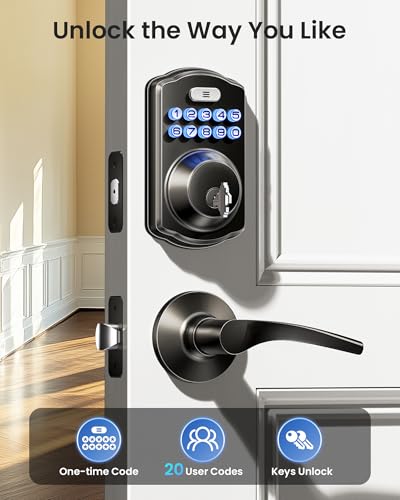
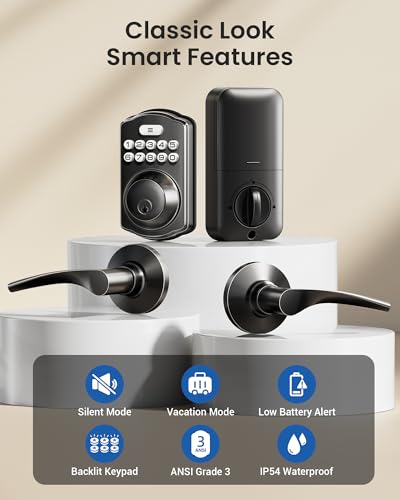
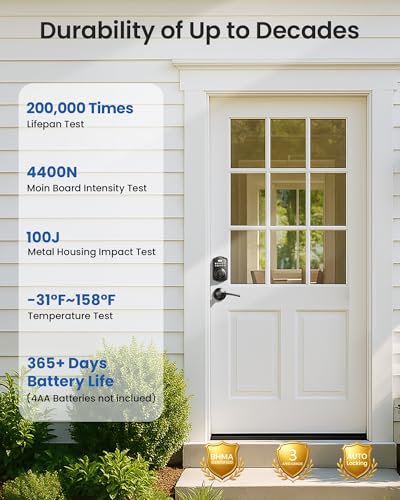
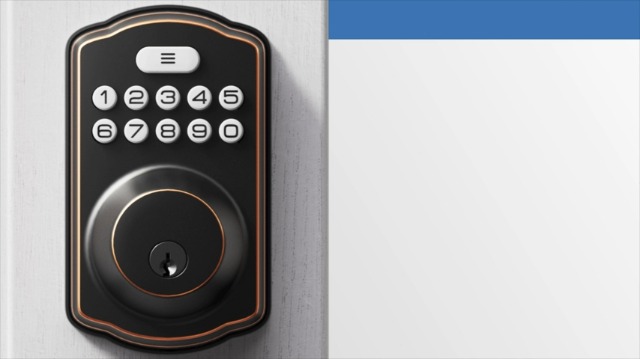
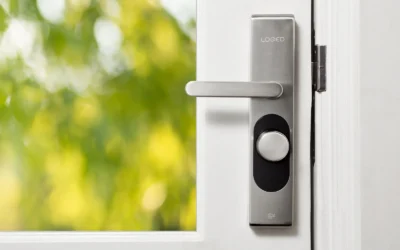
A different product can help when the current lock is too complex, requires a phone for every entry, or has a hard to use handle or keypad. In that case, one common option is a straightforward keypad lever handle with both codes and backup keys, automatic locking, and clear low battery alerts, so the senior has a simple code plus a familiar key.
This guide contains affiliate links, and we may earn a commission if you buy through them, at no extra cost to you.

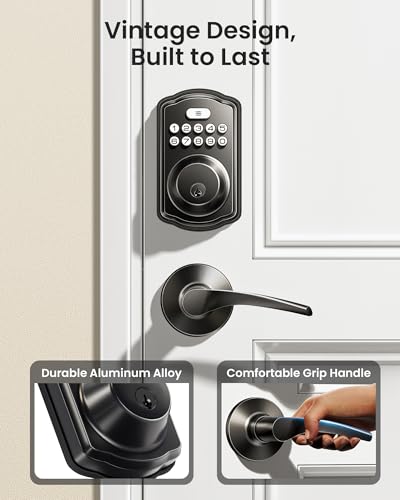
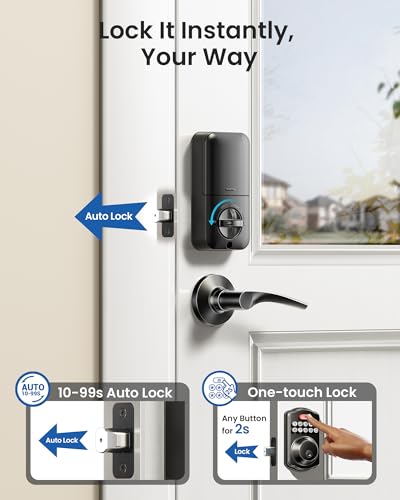
Veise KS01B Keypad Door Lock with Lever Handles


As an Amazon Associate we earn from qualifying purchases. Product prices and availability are accurate as of the date/time indicated.
The Veise KS01B Keypad Door Lock with 2 Lever Handles is one practical option families consider because it offers up to 20 permanent codes, one time codes for guests, auto lock from 10 to 99 seconds, and one touch locking, according to its listed features. Its lever handles may be easier to grip than a round knob, and it is described as fitting standard US doors with a screwdriver installation. As with any lock, check the measurements and features against your door and the senior’s abilities.
For broader context on choosing entry devices, you may also find best smart lock for seniors with knee replacement and best smart doorbell with large display for stroke recovery helpful when planning a complete entry setup.
When to Talk to a Professional Instead
A new lock is not the right choice if the door itself is damaged, the frame is out of square, or the senior has had recent falls, confusion, or vision changes that make independent entry unsafe. In those cases, a home safety check is more important than a product swap.
This type of keypad lever lock is not ideal for seniors who cannot reliably remember a code, have significant hand weakness that makes even a lever hard to operate, or live in a setting where a landlord or care facility restricts lock changes. It is also not a good fit for exterior doors that need a higher security grade or full weather sealing beyond what is listed.
Always check with a healthcare provider, physician, or occupational therapist before making safety changes for a senior in your care if you notice increased unsteadiness, memory concerns, or difficulty managing daily tasks. A professional can suggest whether a lock change, a different support, or additional supervision is the safer next step.
Frequently Asked Questions
Why does the code work sometimes but not other times?
Low batteries, pressing keys too quickly, or a bolt that drags against the strike plate are common reasons. Try fresh batteries, pause briefly between key presses, and check if the bolt moves smoothly when the door is open.
Is a fingerprint or a code better for an older adult?
For many seniors, a short, memorable code is more consistent than a fingerprint, which may not read well if skin is dry or hands are not positioned the same way. If you use fingerprints, keep a code as a backup and keep the sensor clean and dry.
What if the senior keeps forgetting to lock the door?
Try enabling auto lock with a longer delay, and use one touch locking when leaving. A gentle reminder sign at eye level near the door and a routine of checking the handle before leaving can also help, without adding more technology.
Browse more picks in our Smart Locks & Entry category, or see our related guide on Package Delivery Boxes for Hearing Loss in 2026.


Write Your Review
No reviews yet. Be the first to share your experience!