

Quick Answer: How to Make a Large Button Safer Without Sound Cues
For a senior with hearing loss, the safest large button switch is one you can see and feel, not just hear. Add clear visual confirmation that the light is on, improve contrast and tactile feel on the button itself, and place the control where it can be reached without stretching or walking through darkness.
Why This Happens
Many smart switches and large button remotes use a faint click or beep to confirm a press. If hearing is limited, that cue is easy to miss, so you may not know if the press registered and you may press again or walk away unsure.
Low contrast and poor lighting make the problem worse. A white button on a white wall, or a switch in a dim hallway, can be hard to locate quickly, which may lead to incomplete presses or navigating without light.
Distance between the switch and the light also creates confusion. When the lamp or ceiling light is out of direct sight, there is no immediate visual confirmation, and seniors may assume the room is lit when it is not.
Mounting and feel matter as well. A loose adhesive mount, a remote that slides off a table, or a button that needs precise pressure can cause missed activations, especially for hands with arthritis or limited dexterity.
Smart features can add complexity. If a single large button cycles through scenes, colors, or dim levels, the result is less predictable than simple on and off, which makes visual confirmation even more important for someone who cannot rely on sound.
Finally, glare and shadows can hide the button state. A glossy button under a bright overhead light may be hard to read, while a matte button in a shadowed corner may disappear at night when it is needed most.
Practical Steps to Try
Try these steps in order, starting with the simplest visual and placement changes. Each one is meant to reduce reliance on sound and make the on or off state obvious at a glance.
- Add visual confirmation you can see from the switch. Position the controlled lamp where it is directly visible from the button, or add a small plug-in indicator light on the same outlet so the glow itself confirms power is on. This gives an instant check without listening for a click.
- Improve contrast and tactile cues on the button. Place a high contrast ring of tape or a colored sticker around the button edge, and add a small raised bump dot in the center so it can be found by sight and touch, even in low light.
- Reposition the control for safe, stable reach. Mount the large button at standard light switch height near the doorway or at bedside, on a stable wall or nightstand where it can be pressed without bending, reaching over furniture, or stepping into a dark area. If you use an adhesive metal plate, apply it to a clean, dry, smooth surface and allow time for full bonding.
- Simplify to one press for on and one press for off. Check the app or device settings and set the button to simple on and off rather than cycling scenes or dim levels. Fewer modes mean a more predictable visual result and less confusion.
- Check the lighting path and power. Make sure the switch controls a light that illuminates the walking path, keep cords secured and out of the way, replace any burned out bulbs, and confirm remote batteries are fresh so the press registers consistently.
After each change, check the result from the senior’s point of view. Stand where they normally press the button and confirm you can see the light respond clearly, feel the button edge easily, and reach it without leaning or stretching.
If the room still feels uncertain, consider adding a second visual cue, such as a motion activated night light along the path, so there is always some light to support safe movement while the main light is being switched.
When a Product Can Help
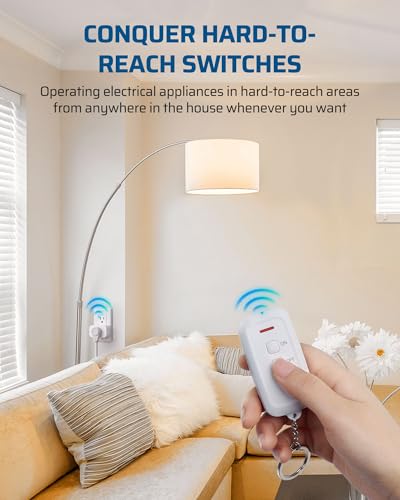
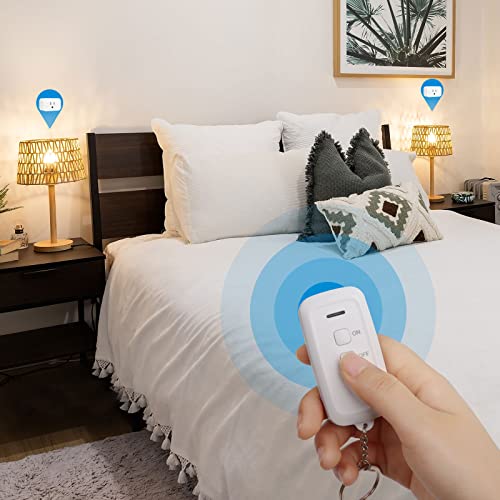
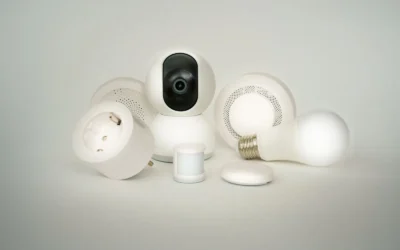
If the built-in wall switch is still hard to see, hear, or reach, a simple plug-in wireless remote outlet with a large single button can be a practical next step. It lets you place a big, easy to press control exactly where it is most visible and reachable, and the lamp itself provides the visual confirmation.
This guide contains affiliate links, and we may earn a commission if you buy through them, at no extra cost to you.

Prime DEWENWILS Wireless Remote Outlet Switch





As an Amazon Associate we earn from qualifying purchases. Product prices and availability are accurate as of the date/time indicated.
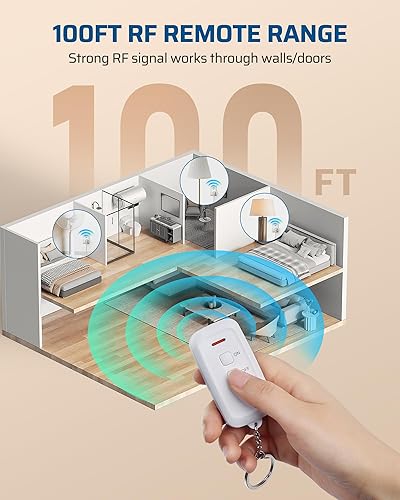
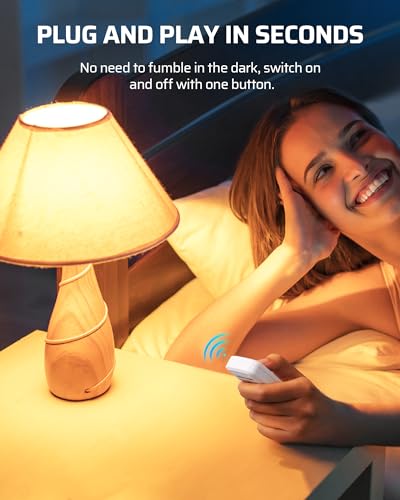
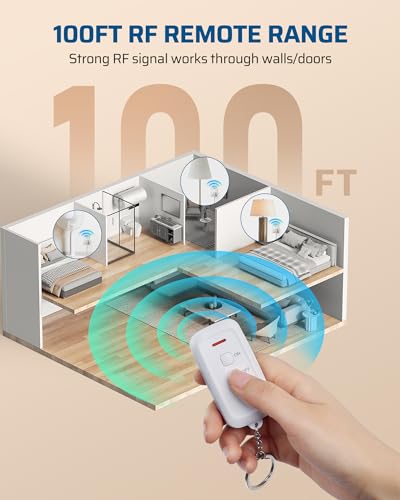
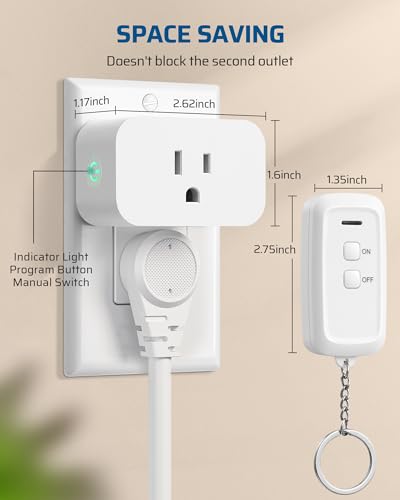
One option caregivers often consider is the DEWENWILS Indoor Remote Outlet, Wireless Switch, which is described as plug and play with no programming needed and a strong RF signal that works through walls up to 100 feet. Its compact design is noted to avoid blocking other outlets, and it is rated for 15A/1875W for common household lamps and fans. Because it is pre-programmed and does not rely on Wi-Fi or sound cues, the visual result is straightforward, the light turns on or it does not, which may help reduce uncertainty for someone with hearing loss.
For broader automation ideas that pair well with visual cues, you may find best smart plug for elderly with low vision helpful as you compare simple plug-in controls and voice options.
When to Talk to a Professional Instead
This type of visual and placement fix is not ideal for seniors who have frequent near falls in low light, combined hearing and vision loss that makes visual cues unreliable, or a home layout where the main ceiling light cannot be made visible from the switch location.
It is also not a good fit if the senior is experiencing new confusion, dizziness, or unsteadiness that affects safe movement, or if the switch controls a critical area like stairs or a bathroom where darkness poses a higher risk. In those cases, the safest next step is to pause home changes and seek guidance.
Check with a healthcare provider, physician, or occupational therapist before making further safety changes for a senior in your care. They can suggest lighting, placement, or assistive strategies matched to hearing, vision, and mobility needs. You can also explore related guidance in Voice Assistants & Automation and Smart Home for Seniors.
Frequently Asked Questions
How can I confirm the light is on if my parent cannot hear the click?
Make confirmation visual. Position the controlled lamp where it is directly visible from the switch, or add a small indicator light on the same outlet so the glow confirms the action. Try the setup at night to confirm it is obvious from a distance.
Should I use voice control instead of a large button for hearing loss?
Voice control can be difficult when hearing loss affects how commands and confirmations are heard. A large tactile button with immediate visual feedback is often simpler, though some families combine both and add visual alerts. For setup considerations, see ADA alexa setup for seniors aging in place.
Where is the safest place to mount a large button switch?
Place it at standard switch height near the room entry or at bedside, on a stable wall or nightstand where it can be pressed without bending or reaching across furniture. Keep the path to the light clear, avoid glare that hides the button, and make sure the button is easy to find by touch in the dark.
Browse more picks in our Voice Assistants & Automation category, or see our related guide on Smart Plugs for Elderly with Low Vision in 2026.


Write Your Review
No reviews yet. Be the first to share your experience!