

Quick Answer
To make a smart light switch large button safer for a senior with dementia, simplify it to one clear job, make it easy to see, and make accidental presses less likely. Set the button to do only on and off for one light, add high contrast and a simple label, secure it so it does not move, and add an automatic backup like a schedule or motion light so the room is not dark if the button is missed.
Why This Happens
A large button is meant to be easier to press, but for a senior with dementia it can create new problems if its purpose is not clear. Always check with a healthcare provider or occupational therapist before making safety changes for a senior in your care, especially when memory, vision, and judgment are affected. Familiar routines and clear visual cues often matter more than the size of the control.
Many smart buttons combine several actions in one press, such as single press, double press, and long press. A senior may press and hold without meaning to, or press twice quickly and trigger a different scene you did not intend. If the button also controls dimming, color, or multiple rooms, the result can feel unpredictable and may lead to repeated pressing or avoiding the light altogether.
Visual clarity is another common issue. A white button on a white wall, small icons, or no label can make it hard to find, especially in low light or at night. Glare, shadows, or a button placed too high, too low, or behind furniture can lead to reaching, mispressing, or confusion about which control does what. Learn more about visibility and voice options in this guide to best smart plug for elderly with low vision.
Placement and feedback also matter for safety. A button that is loose, slides on the table, or lacks a clear click or light change gives little confirmation that the action worked. Without simple tactile or visual feedback, a senior may press repeatedly, which can add to agitation and may increase the risk of bumping into furniture in the dark.
Practical Steps to Try
- Simplify the button to one obvious function. In your smart home app, try assigning only on and off for a single, important light, and disable extra gestures like double press, long press, or dimming. If your system allows it, set a gentle default brightness so one press gives enough light for safe movement, and check the app to confirm the change saved.
- Make the button easy to find and understand. Place it in a consistent, reachable spot at light switch height near the room entrance or bedside, not hidden behind objects. Add high contrast around it, use a large simple label with a word like LIGHT and an icon, and add a small night light nearby so the button is visible without glare. For ideas on accessible placement, see ADA alexa setup for seniors aging in place.
- Secure the button and reduce accidental presses. Mount the button firmly so it does not slide or fall when pressed, and keep it away from areas where an arm or hip might bump it. If the button is on a table, try a non slip base or a wall mount at a comfortable height. Check that the button gives clear feedback, such as a click sound or immediate light response, so the senior knows the press worked.
- Add an automatic backup so the light still works if the button is missed. Try a simple schedule for evening and morning, or a motion activated night light for hallways and bathrooms. This reduces pressure to remember the button at night and may help reduce the risk of moving through a dark room. Keep automations simple and consistent so the behavior is predictable.
- Create a consistent routine and limit choices. Use the same button in the same place every day, and remove or cover extra switches that are not needed. Show the action once using a calm, short phrase like press for light, and keep the wording the same each time. If you use voice control as a backup, keep the phrase short and consistent, and confirm the assistant responds reliably.
When a Product Can Help
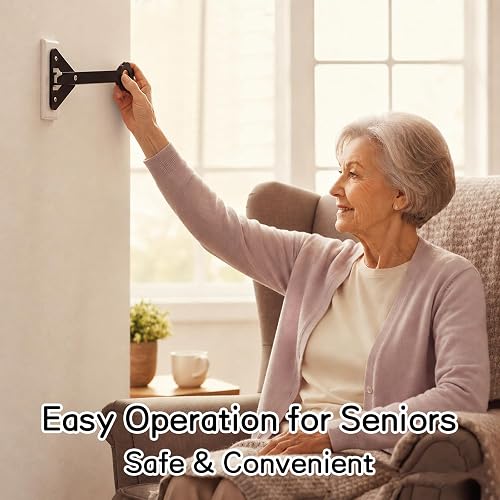
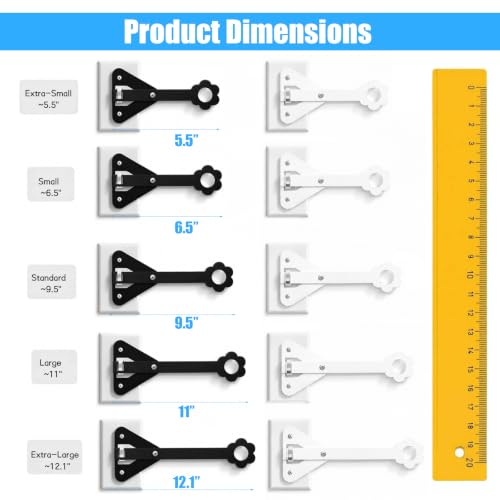
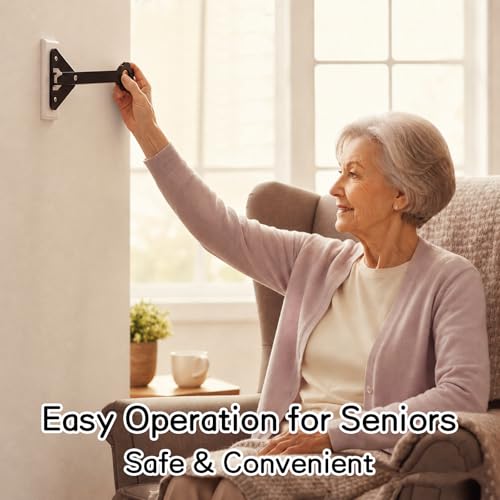
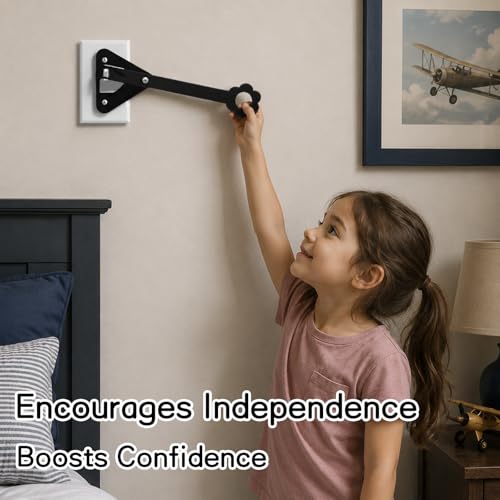
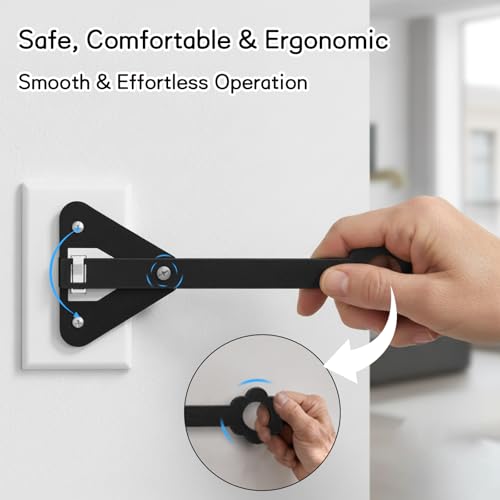
A product may help when the existing large button is loose, hard to reach, or confusing because it moves or lacks clear feedback, and you want a more stable, easy to find control. One common option is to add a lever style extender that makes a standard wall toggle easier to operate without rewiring. For example, the Light Switch Extender, Horizontal Light Wall is described as mounting onto a standard wall plate using existing screws and offering an ergonomic handle and lever for easier operation, with a sturdy and lightweight design intended for everyday use. This type of fixed, familiar wall control can be easier to locate than a portable button and may help support independence when paired with good lighting and simple labeling. You can also explore entry and lighting coordination ideas in best smart lock for seniors with knee replacement for a more consistent home setup.
This guide contains affiliate links, and we may earn a commission if you buy through them, at no extra cost to you.

Prime Extra-Large Light Switch Extender for Wall Toggle



As an Amazon Associate we earn from qualifying purchases. Product prices and availability are accurate as of the date/time indicated.
When to Talk to a Professional Instead
If confusion, wandering at night, or difficulty finding the bathroom and light switches is increasing, a home fix alone is not enough and you should talk with a physician, occupational therapist, or healthcare provider. They can review vision, cognition, medication effects, and home layout, and suggest safer lighting, supervision, or support strategies tailored to the person.
This approach is not ideal for seniors who are pressing buttons repeatedly due to agitation, trying to remove or take apart devices, or showing sudden changes in behavior, sleep, or mobility. These changes may signal an underlying need that a clinician should assess, and adding more devices without guidance could add confusion or create a new hazard.
A professional can also advise on whether a fixed wall control, a voice assistant, or an automated lighting plan is the right choice for your home. Bring notes about when the confusion happens, which lights are involved, and how the senior currently uses the button, so the provider can recommend the safest next steps.
Frequently Asked Questions
Should I use a large button or a regular wall switch for a senior with dementia?
Many caregivers find a single, fixed wall switch with a clear label is less confusing than a portable button that can be moved or lost. If you keep a large smart button, try assigning it to only one light and mounting it in a consistent, visible location so the action is predictable.
How can I reduce accidental presses at night?
Try disabling extra press types in the app, mounting the button firmly away from bed edges or chair arms, and adding an automatic night light or schedule for hallways and bathrooms. Check that the button and any backup lights provide immediate, easy to see feedback when pressed or triggered.
What if the senior keeps forgetting what the button does?
Use one short label and one consistent phrase, keep the button in the same place, and remove competing controls from view. If forgetting continues or safety is a concern, pause changes and consult a healthcare provider or occupational therapist for guidance on routines, supervision, and lighting that may better support daily needs.
Browse more picks in our Voice Assistants & Automation category, or see our related guide on Smart Plugs for Elderly with Low Vision in 2026.



Write Your Review
No reviews yet. Be the first to share your experience!