

Quick Answer
If a medical alert watch feels unsafe for a senior with Parkinson’s, the most common issue is that the button, fit, or fall detection is not matched to tremor and movement changes. Try adjusting the band for a snug but comfortable fit, simplifying how help is called, and checking alert settings with family before you replace the device.
Why This Happens
Tremor, stiffness, and involuntary movements can make a small button hard to press on purpose and easy to press by accident. A watch that is too loose may slide around and miss a press, while one that is too tight may be uncomfortable and get taken off.
Fall detection can also be less reliable with Parkinson’s. Shuffling steps, freezing, or dyskinesia may trigger false alerts, or a slow, low fall to the floor may not trigger an alert at all. This is why many families find they need to adjust sensitivity or add backup options.
Daily use matters too. Touchscreens, small charging pins, and short battery life can be frustrating with limited dexterity. If charging is difficult, the watch may be off the wrist when it is needed most. Always check with a healthcare provider or occupational therapist before making safety changes for a senior in your care.
You may also want to think about the home setup as a whole. A watch works best when it is part of a simple system that includes clear routines and easy communication. For broader home monitoring ideas, see related guidance like best security camera for elderly with balance issues and Smart Alerts & Monitoring for context on how alerts fit into daily life.
Practical Steps to Try
Try these steps in order, starting with the easiest changes. Make one change at a time and check with family that alerts still come through.
- Adjust fit and placement for steadier wear. Use a soft, adjustable band that stays snug without pressing into the skin. Place the watch on the wrist with less tremor if the senior has a dominant side, and make sure the sensor sits flat against the skin. A stable fit may help reduce false alerts and make the SOS button easier to find by touch.
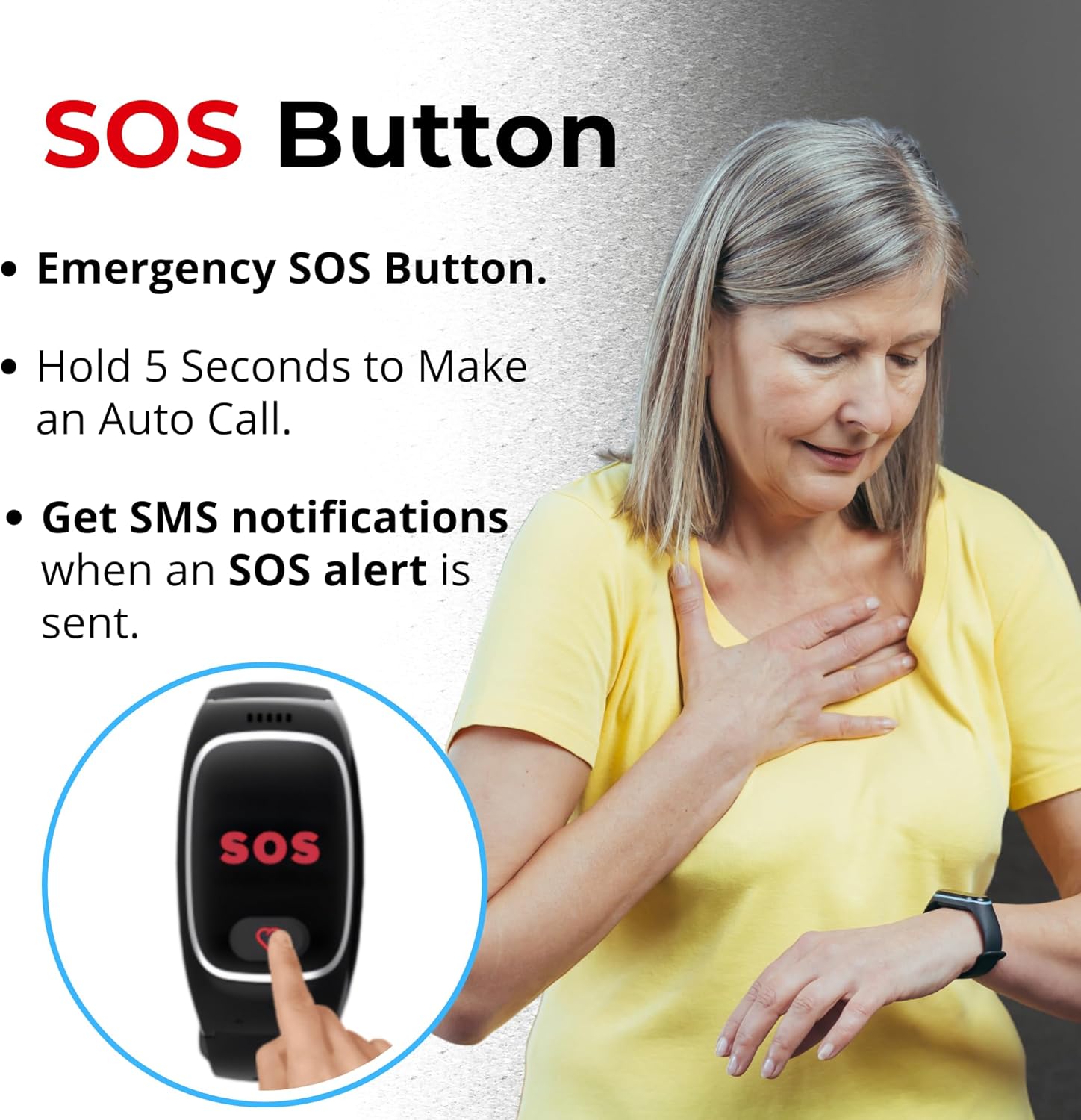
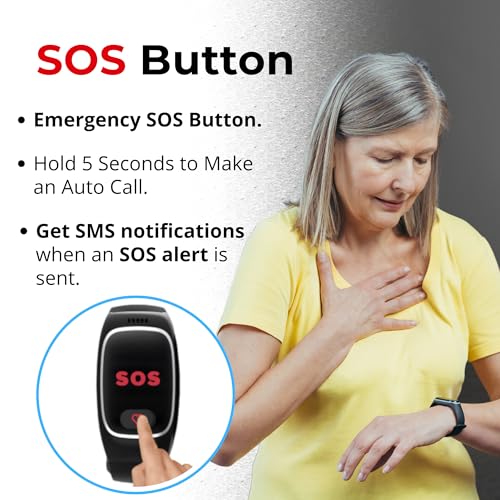
- Make the SOS button easier to use. Look for a watch with a large, raised SOS button and a press-and-hold action of about 3 seconds to reduce accidental calls. Practice the press together when the senior is seated and calm, and consider adding a simple visual cue or tactile sticker near the button if the design allows.
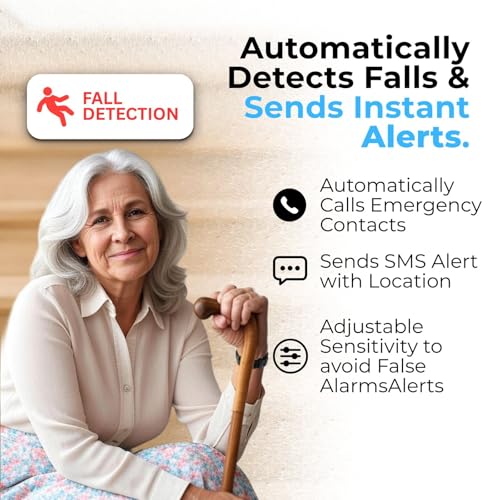
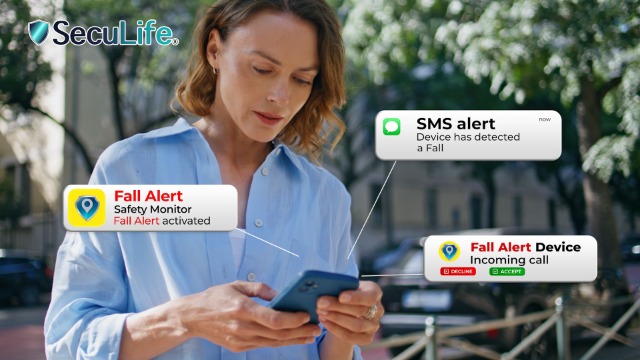
- Review fall detection and notification settings with family. In the caregiver app, confirm who receives calls, texts, and app alerts, and check if sensitivity can be adjusted. Add at least two emergency contacts and confirm that hands-free auto-answering is enabled so a family member can connect even if the senior cannot press to answer.
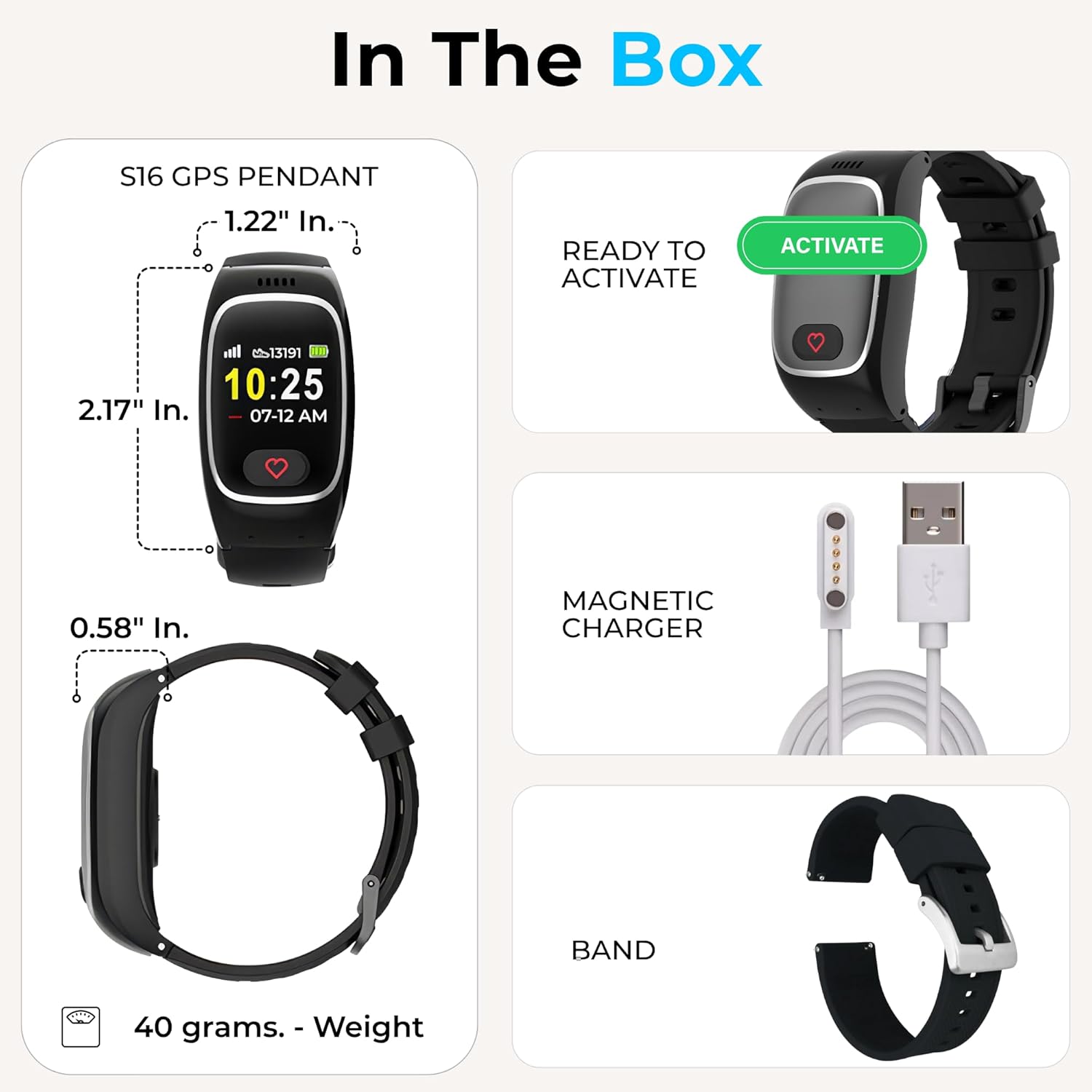
- Simplify charging and daily routine. Choose a watch with magnetic charging and a clear charging indicator, and set a fixed daily charging time when the senior is seated and supervised, such as during a TV show or meal. Keep the charger in one visible spot and set a phone reminder for the caregiver to confirm the watch is back on the wrist afterward.
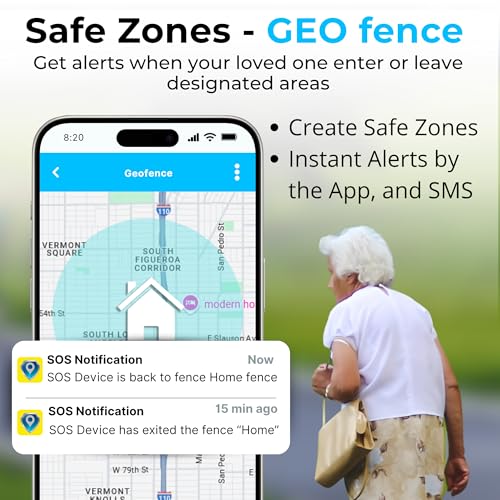
- Add a backup way to get help. Do not rely on one device alone. Keep a second option nearby, such as a bedside voice assistant or a wall button in the bathroom, and make sure the watch has GPS tracking and geofencing so family can locate the senior if they wander or need help outside. You can explore more automation options in Voice Assistants & Automation.
When a Product Can Help
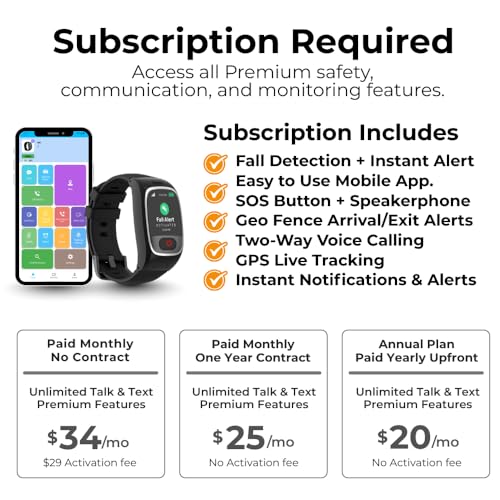
If adjustments do not make the current watch reliable, a senior-friendly smartband that is designed for simple operation may help reduce risk. Look for features that match Parkinson’s needs, such as a large SOS button, automatic fall detection with calls to family instead of a call center, hands-free auto-answering, real-time GPS tracking with geofencing, and an easy app for caregivers to manage contacts and alerts. One practical option to consider is the Seculife Medical Alert Smartband for Seniors, which includes these features in a splash resistant design with two-way calling.
This guide contains affiliate links, and we may earn a commission if you buy through them, at no extra cost to you.

SecuLife S16 Medical Alert Smartband for Seniors






As an Amazon Associate we earn from qualifying purchases. Product prices and availability are accurate as of the date/time indicated.
This type of band may help make help easier to reach because it combines automatic alerts with simple voice calling, without the complexity of a smartphone. Be sure to confirm subscription needs, coverage in your area, and that the band size and charging style suit the senior’s dexterity.
When to Talk to a Professional Instead
A watch is a tool to support response, not a way to manage Parkinson’s symptoms or balance on its own. If falls are frequent, freezing is common, or the senior is unsteady when standing or turning, talk with a physician, physical therapist, or occupational therapist about a broader safety plan.
This kind of medical alert watch isn’t ideal for seniors who need constant hands-on supervision, have severe swallowing or breathing concerns during off periods, or live alone without anyone available to respond quickly to alerts. It is also not the right choice if the senior often removes wearables due to sensory sensitivity or skin irritation, since protection only helps when the device is worn and charged.
A professional can help you decide if you need a different alert setup, home modifications, or additional support services. Bring the watch and its app to the appointment so the clinician can see how alerts are set up and suggest changes that fit the senior’s daily routine.
Frequently Asked Questions
Why does my loved one’s watch give so many false fall alerts?
Movement patterns linked to Parkinson’s, like tremor or quick arm movements, can sometimes be read as a fall. Check the app for sensitivity options, ensure the band fits snugly, and confirm with family whether to keep automatic calling on or to use a confirmation window before alerts go out.
What if they cannot press the SOS button during an episode?
Choose a device with automatic fall detection and hands-free auto-answering so family can call the watch and be connected without a button press. Practice answering together and keep emergency contacts updated in the app so calls go to the right people.
How can we make sure the watch is actually worn and charged?
Build charging into a daily habit at the same time and place, use a magnetic charger that is easy to align, and set a caregiver reminder to check battery level in the app. If the watch is often off the wrist, ask an occupational therapist for ideas on bands or routines that may help improve comfort and consistency.
Browse more picks in our Smart Alerts & Monitoring category, or see our related guide on Large Display Doorbells for Stroke Recovery in 2026.




Write Your Review
No reviews yet. Be the first to share your experience!