

Quick Answer
If your large button smart light switch feels stiff, slippery, or painful to press with arthritis, make it safer by reducing the force needed, adding a no press option, and making the switch stable and easy to see. Try a lever style extender that lets you use your palm instead of fingertips, set up voice or app control so you can avoid pressing altogether, and check that the plate is secure and at a comfortable height. These steps may help reduce strain and support more comfortable daily use.
Why This Happens
Even a large button can be tough on arthritic joints because it still asks for fingertip pressure, often at an awkward wrist angle. If the switch is high on the wall, low near furniture, or set on a stiff plate, you may need to reach, bend, or push harder than feels comfortable.
Many smart switches also need a firm, centered press or a precise tap to register. A hard plastic surface, a small sweet spot, or a need to press and hold for dimming can increase hand fatigue, especially if you need to try more than once.
A loose or wobbly wall plate makes it worse, since you press harder to get a response when the switch moves. Glossy plates can feel slippery, and poor lighting makes it hard to find the button edge, which leads to missed presses and extra effort.
Smart home setup plays a role too. If voice control or automation is not set up, the physical button becomes the only option. You can explore related ideas for easier control in guides like best smart plug for elderly with low vision and ADA alexa setup for seniors aging in place for context on accessible placement and voice options.
Practical Steps to Try
- Check stability and position first. Make sure the wall plate screws are snug and the switch does not rock when you press lightly. If you need to stretch or bend to reach it, consider whether a caregiver can help move everyday control to a more comfortable height or add a secondary control nearby.
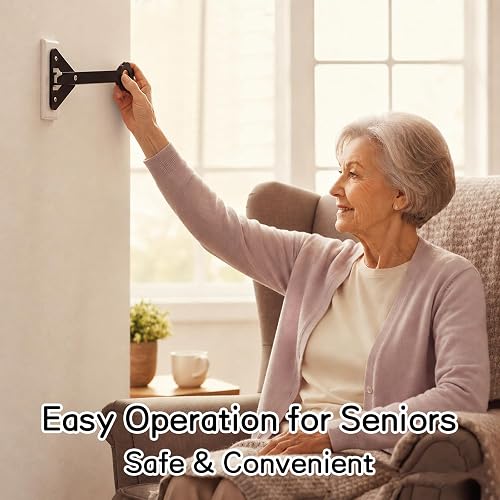
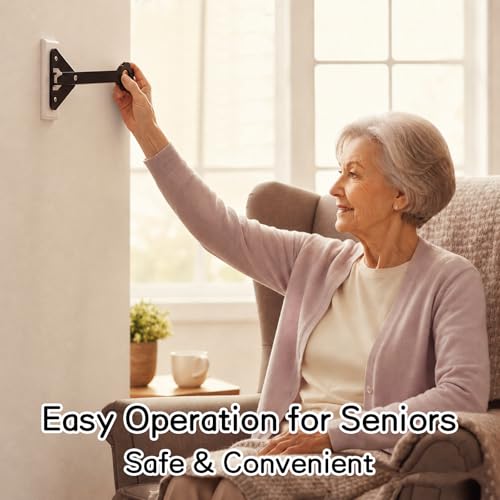
- Make the press easier on your joints. Look for a simple lever or extender that lets you press with your palm or the side of your hand instead of a fingertip. A broad, ergonomic handle may help reduce the need for pinching or precise fingertip force and may help reduce slipping.
- Add a no press alternative for frequent use. Try setting up voice control through Alexa, Google Assistant, or Siri, or use the switch app to create schedules and scenes so lights turn on automatically. This gives you a way to control lights without pressing when hands are stiff or tired. For broader smart home planning, see Voice Assistants & Automation.
- Improve visibility and grip. Add a contrasting wall plate or a small visual marker so the button edge is easy to see in low light. Keep the surface clean and dry, and consider a soft, non slip cover if the button feels slick, checking that any add on does not block the switch action.
- Create a backup for night and fatigue. Place a simple wireless remote, bedside lamp with voice control, or app shortcut where you can reach it without getting up. Check that household members know both the physical and voice options, so there is always an easy way to get light without straining.
When a Product Can Help
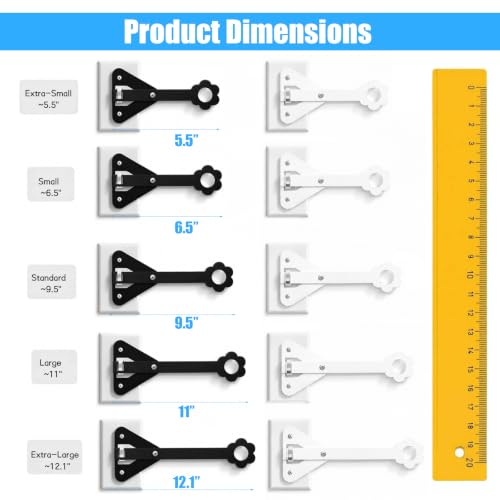
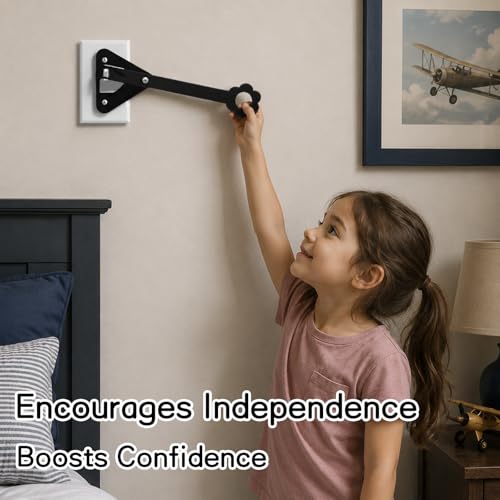
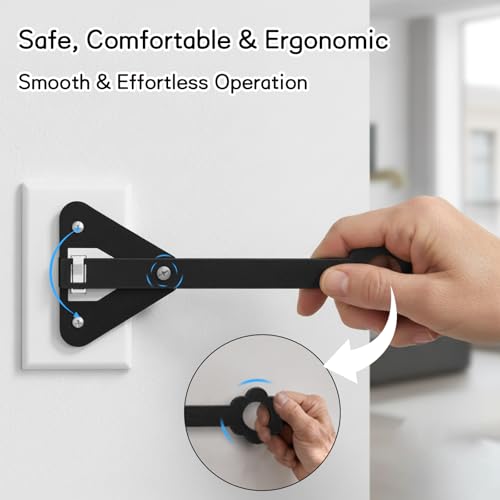
A product is a reasonable next step when the switch itself is stable but still needs too much fingertip force, or when you want a palm press option that is easier on arthritic hands. One common option is a horizontal extender that mounts to a standard wall plate and provides a larger lever surface, so you can operate the switch with less precise pressure. If that matches your needs, this type of extender may help reduce effort while keeping the existing switch in place.
This guide contains affiliate links, and we may earn a commission if you buy through them, at no extra cost to you.

Prime Extra-Large Light Switch Extender for Wall Toggle



As an Amazon Associate we earn from qualifying purchases. Product prices and availability are accurate as of the date/time indicated.
When to Talk to a Professional Instead
Some situations are not a good fit for a simple add on and deserve a check in with a healthcare provider, physician, occupational therapist, or physical therapist. If hand pain, swelling, or stiffness is getting worse, if you notice frequent near misses reaching for switches, or if balance feels unsteady when reaching, get professional guidance before making changes.
This type of lever extender is not ideal for homes where the wall plate is cracked, the electrical box is loose in the wall, or the switch itself feels hot, buzzes, or needs extra force because it is aging or damaged. Those issues are not solved by an extender and should be reviewed by a qualified electrician or clinician who can assess safety.
It is also not the right choice if the senior needs to avoid standing or reaching altogether, or if vision or memory changes make any wall switch unreliable on its own. In those cases, a broader plan that may include voice control, automated lighting, and a home safety evaluation may help reduce risk more than a single switch change. You can also review broader entry and monitoring options in Smart Alerts & Monitoring for additional support.
Frequently Asked Questions
Can I make a smart switch need less force without replacing it?
Try a lever style extender that lets you use your palm, and check that the plate is secure so you do not have to press extra hard. You can also set up voice control or schedules so you press less often, which may help reduce daily strain.
Is voice control safer than pressing a large button with arthritis?
For many people, voice or app control is gentler because it avoids fingertip pressure and awkward reaching. Keep the physical switch as a backup, place a microphone or smart speaker within easy speaking distance, and check that commands are simple and reliable.
What if the senior keeps missing the button or pressing the wrong spot?
Improve contrast and lighting around the switch and consider a larger lever surface that is easier to find by touch. If misses continue or frustration grows, ask an occupational therapist for ideas on positioning and alternative controls that match hand strength and range of motion.
Browse more picks in our Voice Assistants & Automation category, or see our related guide on Smart Plugs for Elderly with Low Vision in 2026.




Write Your Review
No reviews yet. Be the first to share your experience!