

Quick Answer
If your smart plug for elderly not working well, the most common reason is not the plug itself but WiFi, app, or voice setup that is too complex for daily use. Try checking the WiFi connection, confirming the lamp or device has a simple physical switch left in the on position, and consider a simpler remote control option if voice or app control keeps failing.
Why This Happens
Many smart plugs rely on a steady 2.4 GHz WiFi signal and an app on a phone. If the router is far away, the signal drops, or the phone updated, the plug may appear offline or not respond. This can be confusing for a senior who just wants a lamp to turn on.
Voice control adds another layer that can fail. Assistants like Alexa or Google Assistant need exact phrasing, and background noise or soft speech can cause missed commands. For a senior with hearing or speech changes, repeating commands can be frustrating and tiring.
Some devices are not a good match for a smart plug. If a lamp has an electronic touch switch or a coffee maker needs a button pressed after power returns, the plug cannot turn it back on by itself. The plug only restores power, it does not press buttons, so the device stays off even when the plug is on.
Small setup details also cause big problems. Plugs that block the second outlet, get unplugged to charge something else, or lose their schedule after a power outage may seem unreliable. A simpler setup that does not depend on WiFi or apps often works more consistently for daily living. For broader home automation ideas, you may find this guide on ADA smart thermostats for seniors aging in place helpful for understanding what makes a device senior friendly.
App updates and account changes can break a setup that once worked. If the family caregiver set up the plug on their phone and then changed a password or got a new phone, the senior may not be able to reconnect it alone. Keeping control simple and local can reduce these interruptions in 2026 and beyond.
Practical Steps to Try
Try these steps in order, starting with the easiest checks that do not require new equipment. Check one change at a time so you can see what helps.
- Check power, WiFi, and the device switch. Make sure the plug is firmly seated, the outlet has power, and your router is on. Then check that the lamp or fan itself is switched on so the plug can control it. Try unplugging the smart plug for 10 seconds and plugging it back in to refresh the connection.
- Confirm the plug is on the right WiFi network. Most plugs need 2.4 GHz, not 5 GHz, and they show as offline if they are on the wrong band. Open the app on your phone and see if the plug shows as online. If it shows offline, try moving the router closer or using a WiFi extender, and keep the phone and plug on the same network during setup.
- Simplify how your senior turns it on. If the app is too many steps, try a single voice command with a simple name like living room lamp, or a routine that turns the light on at sunset automatically. Write the exact phrase on a card near the lamp so it is easy to remember, and keep names short and distinct.
- Reduce interference and keep the second outlet free. Make sure the plug is not covered by furniture and does not block the other outlet if you need it. If the plug keeps getting moved to charge a phone, consider a dedicated outlet for the lamp so the schedule is not interrupted. A compact plug that leaves the second outlet open is easier to live with.
- Consider a non WiFi backup for the most important light. If WiFi outages keep causing problems, a plug that uses a handheld remote instead of an app can be more reliable for daily use. This keeps control simple, with one button for on and one for off, and no phone needed. You can also explore related monitoring options in best security camera for elderly with balance issues if you are building a simpler, more reliable alert system at home.
When a Product Can Help
If WiFi, apps, and voice commands keep causing confusion, a simpler control method may help more than another WiFi plug. A remote control outlet that works with a handheld clicker can be easier for seniors who want a clear on and off without speaking to an assistant or opening an app.
This guide contains affiliate links, and we may earn a commission if you buy through them, at no extra cost to you.
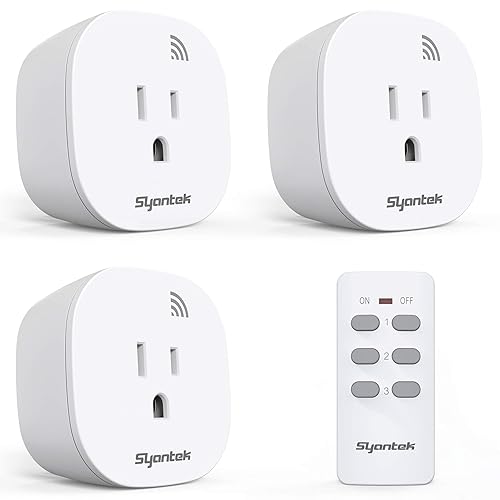
Prime Syantek Remote Control Outlet Kit 3 Outlets + 1




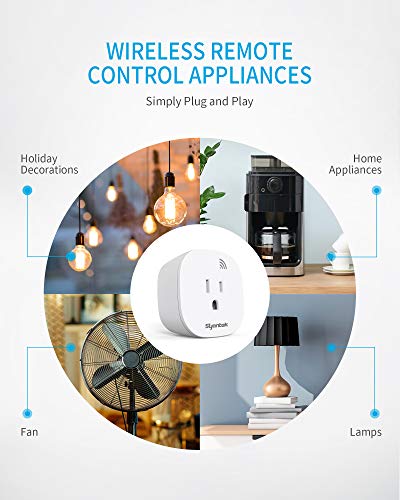
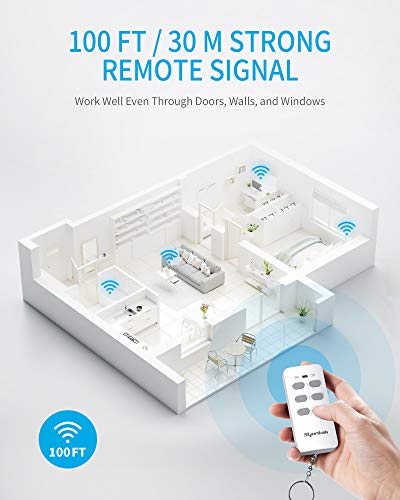
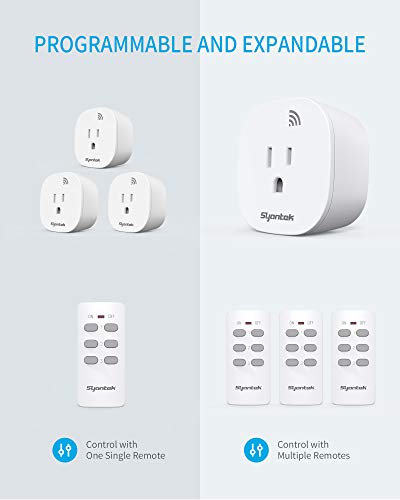
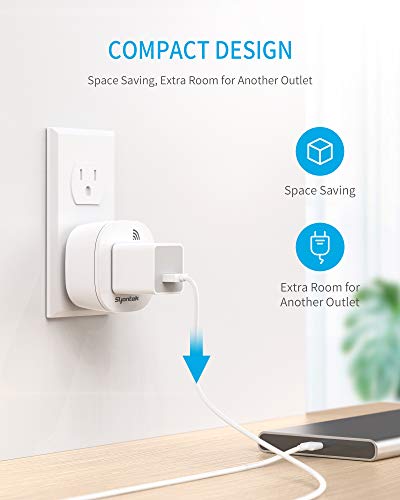

As an Amazon Associate we earn from qualifying purchases. Product prices and availability are accurate as of the date/time indicated.
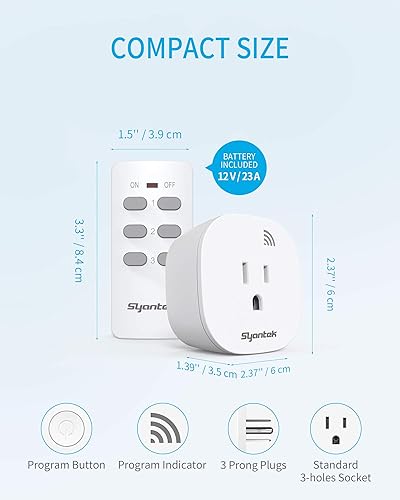
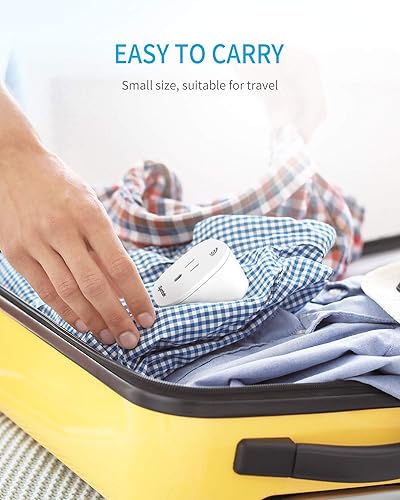
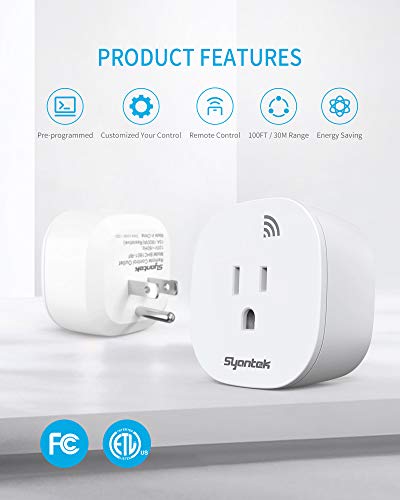
The Syantek Remote Control Outlet Wireless Light is described as using a strong RF signal with up to 100 ft range that can work through walls, doors, and windows, and its compact design is made to leave the second outlet free. It is also described as programmable and expandable, so one remote can control several outlets and one outlet can be controlled by several remotes. It is noted as suitable for the elderly or those with mobility challenges, with the socket remaining closed after a power cut to save energy.
This type of option may help reduce the need to bend down to reach an outlet, and it avoids WiFi passwords and app updates. It is one practical option to try when your current smart plug for elderly not working well keeps adding steps instead of removing them, especially for a bedside lamp or living room light used every day.
When to Talk to a Professional Instead
Some situations call for more than a different plug. If your senior is having frequent trouble reaching outlets, remembering steps, or managing daily tasks safely, it is wise to get guidance from a healthcare provider or occupational therapist before making changes.
A remote control plug is not ideal for devices that affect safety, such as medical equipment, heaters, or anything that must never be turned off accidentally. It is also not a good fit if the senior has significant cognitive changes and might be confused by multiple remotes or might turn off a light needed for safe walking at night.
If you notice increased unsteadiness, frequent near falls when getting up to adjust lights, or confusion about using home devices, talk with a physician or physical therapist before making changes. They can suggest lighting, placement, or other home safety strategies that fit the person’s abilities and may help reduce the risk of falls.
For general smart home planning, you can also review Smart Alerts & Monitoring and Voice Assistants & Automation to compare which types of alerts and automation are appropriate to discuss with a professional for your home.
Frequently Asked Questions
Why does my smart plug keep showing offline for my senior’s lamp?
Most often it lost its 2.4 GHz WiFi connection or the router was moved or restarted. Try checking the app, confirming the plug and phone are on the same network, and power cycling the plug. If it keeps happening, a non WiFi remote plug may be more consistent for that lamp.
Is voice control or a handheld remote easier for an elderly person?
Voice control can help if the senior speaks clearly and remembers the exact name, but it depends on WiFi and can mishear commands. A handheld remote with large on and off buttons is often simpler because it works with one press and does not need an app or internet.
Can I use a smart plug for a heater or medical device to help an elderly person?
You should be cautious with anything that affects safety or health. Many heaters and medical devices are not recommended for use with smart plugs, and accidental shutoff could create risk. Check the device manual and ask a healthcare provider before connecting safety related equipment.
Browse more picks in our Smart Alerts & Monitoring category, or see our related guide on Large Display Doorbells for Stroke Recovery in 2026.






Write Your Review
No reviews yet. Be the first to share your experience!